
Options for Discrete Sweeps
For Discrete sweeps, the Edit Sweep dialog options you can set include
- Sweep Name
- Enabled Checkbox
- The ability to Use Q3D for DC Simulation in HFSS means the dialog includes a Use Q3D to solve the DC point option.
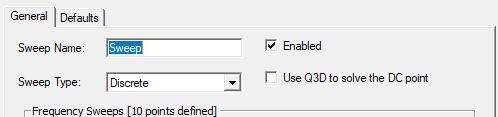
If Q3D is turned on, the project will succeed only if classic can mesh the original model. Models where tau succeeds but classic fails fail if you turn on Q3D. -
Performance of HFSS with/without Q3D can be compared only with classic mesh. One can not compare it to tau.
- Frequency Setup
- 3D Fields Save Options.
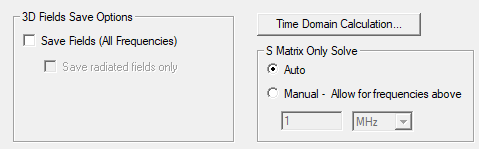
With Save Fields not selected, the default is for Auto S Matrix Only Solve. Here, the solver automatically determines threshold of S-matrix only solve. The Manual option is available for situations when: - The direct solver is being used.
- If S-matrix only solve has a singularity matrix, you might want to increase the manual threshold.
- If you want faster simulation, you might want to decrease the manual threshold.
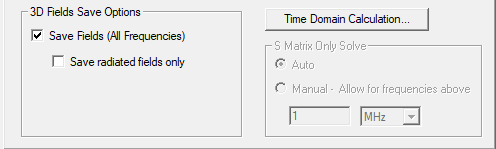
- Whether to Save Fields (for all Frequencies). By default, all frequencies are saved. (This field is disabled under a Solve Ports Only setup. You can view port fields for the discrete frequencies under the port field display in the project tree.)
- For discrete sweeps, you can specify whether you
want to save the 3D fields. Checking Save Fields (All Frequencies) enables the option to Save radiated fields only.
If you expect to use the same settings often, you can click Set Defaults. To use previously saved settings, click Use Defaults.