Change the Value of an Existing Frequency Point
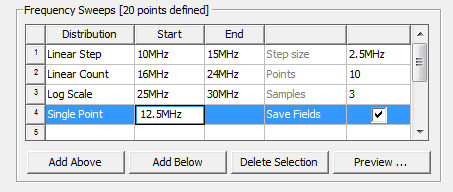
To change the value of an existing frequency point in a discrete sweep in the Edit Sweep dialog:
- In the Edit Sweep dialog either
select the text field in the Frequency column and edit an existing value
field directly:
- You could also create a new single point sweep.
- Select Save Fields if you want to save the calculated 3D field solutions associated with all port modes at that frequency.
- Repeat for changing additional points.