
Assigning FE-BI Hybrid Regions
FE-BI- this uses integral equation formulation, which is an exact transparent condition. By taking advantage of conformal radiation volumes to reduce the overall finite element solution domain, using the FE-BI hybrid region will result in more efficient simulation for electrically large open boundary problems. It can be close to or on the structures, but for performance, 0.05 wavelength is recommended. If it is on a surface, you must turn off curvilinear elements. The FE-BI hybrid region should enclose the entire structure by itself, or with an Infinite ground plane. (Compare Assigning IE Regions). If you model a radiation boundary as a FE-BI hybrid region, the solution setup cannot include calculations of derivatives on those regions. Contact with dielectric IE Region or PO Region is allowed.
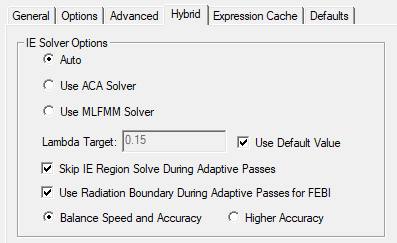
In the Solution Setup, when the Hybrid tab option, Use Radiation Boundary During Adaptive Passes for FEBI is enabled, solver uses a radiation boundary instead of FEBI during adaptive passes. When it converges, solver enables the FEBI for the last adaptive pass. If the FEBI surface is sufficiently large, this option can lead to a faster adaptive mesh run.
To assign a FE-BI Hybrid Region:
- Select the object you want to assign as FE-BE, and use one of the following menus:
HFSS>Assign Hybrid>Assign>FE-BI
Right-click in the Modeler window and select Assign Hybrid>FE-BI.
Right-click in the Modeler window and select Assign Hybrid>FE-BI.
Select the Hybrid Regions icon in the Project
tree, right-click, and click Assign>FE-BI.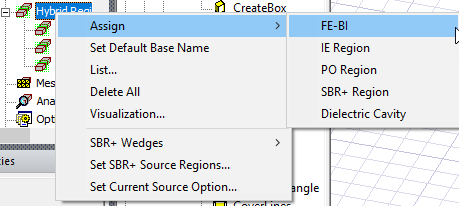
The Radiation Boundary
dialog opens, showing the default name and FE-BI assignment.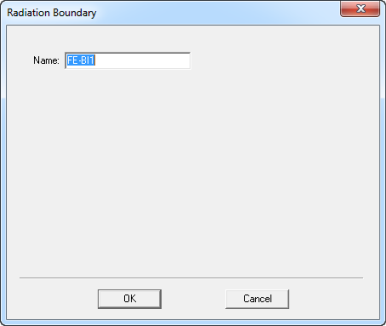
- When you OK the dialog box, the assignment appears under the Hybrid Region icon in the Project tree.