


To change the project configuration:
Open the project settings using "Project | Project Settings" or using the <Alt-Enter> shortcut while having an arbitrary element of the project selected. Note that project settings cannot be changed, if the project is write protected (by any means).
Navigate to the "Cybersecurity" node of the settings. There are multiple sub-pages to define individual parts of the configuration.
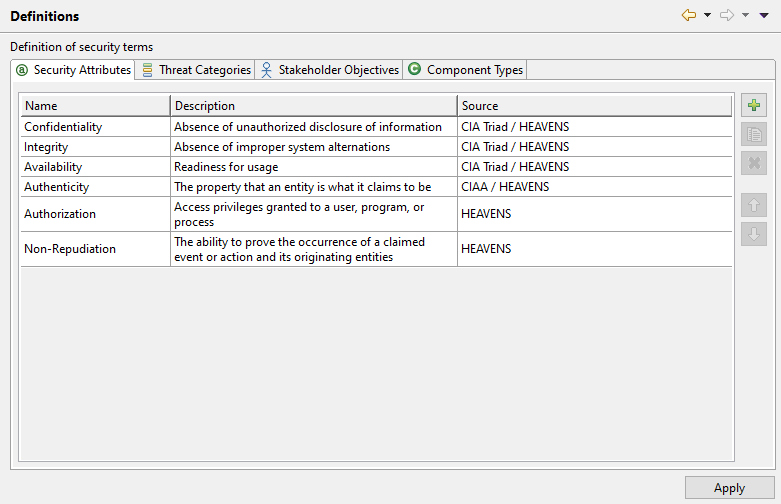
The "Definitions" sub-page can be used to customize the list of known security attributes. Each attribute can be associated with an optional description and a source, basically a reference to the document or method that describes it. The page has further tabs to also define threat categories, stakeholder objectives and component types.
The "Mappings" page is solely used to configure the automatic identification of threats from the target of evaluation. There are two types of mappings, which reflect the methods that are offered by the automation algorithm. Note that the type mapping requires sophisticated knowledge about the system model capabilities of medini analyze and the underlying metamodel.
Note that there might be dependencies between the different pages. Terms for example are defined in the "Definitions" page and used in the "Mappings" page, so any new security attribute that shall be used in the mapping has to be configured before in the "Definitions" page
Note that there is no "Default" button to reset the configuration. To start from the default, you can merge the complete configutaion or individual parts of it from a blank new Cybersecurity project.
Note that renaming or removing definitions has a direct impact on your cybersecurity project.
Note further that these settings are part of the project state. They are affecting also other users in case the project is shared.