


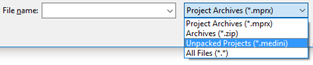
| Projects can be compare not only with external MPRX and ZIP archives, but also
with "unpacked projects", i.e. with project folders. This extension supports project
compare while sharing projects unpacked with Subversion or other Revision Control
Systems.
| |
| Similar to the existing Emoticon support, custom properties can be used now to
achieve arbitrary cell coloring (foreground and background) in custom table columns.
Color codes are simply encoded in the returned string to achieve custom background
and optional also foreground colors.

| |
| Importing data from CSV/Excel can now be based on Excel or CSV documents that
have been imported as "External Documents" before. The import can be started either
by using the context menu on the document, by choosing a document in the CSV/Excel
import wizard or by simply dragging and dropping an external document onto a target
object like a collection or a system model.

| |
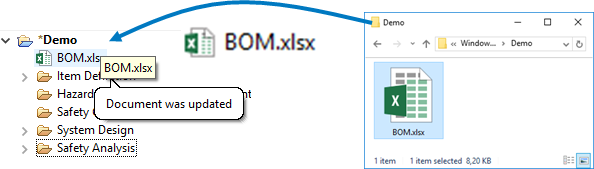
| External Documents that have been imported into a medini project can now be
more easily updated using drag & drop from the file explorer onto the document
with just one click.
| |
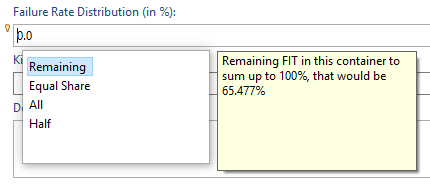
| A few selected areas of the tool support "Content Assistant", for example the
specification of failure rate distributions in forms and tables. The content assist
is triggered using Ctrl-Space and you will see a notification in the shape of a
tooltip when it's available. The content assist may, depending on the context,
provide proposals that help you entering values much quicker and accurate.
| |
| Templates that are located in external Revision Control Systems as Subversion
can now be utilized more easily. Just drag and drop them from the RCS client (e.g.
Tortoise) directly to the template preferences page.

| |
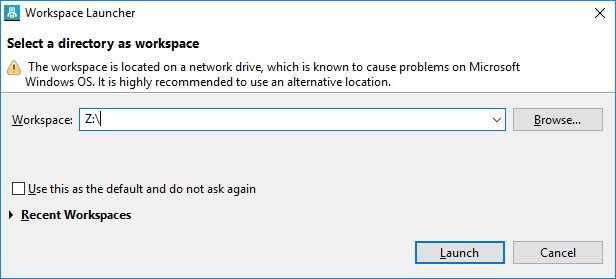
| Network drives under Windows OS may cause problems when using them to store
medini workspace data. The workspace selection dialog warns the user when choosing
either a UNC path to a network folder or a network drive.
| |
| The configuration of variable usages in deeply nested structures has been
simplified. There is now help to set the mighty "Derived" flag of many elements with
just one click.

| |
| New Guidewords / columns can be added to an existing HAZOP table easily even after instantiation from a HAZOP template. | |
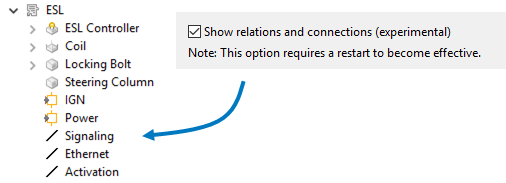
| Relations and connections can now be shown (and selected) in the model browser.
They can be selected and manipulated as normal objects (traced, dragged to tables
etc.). See the browser preferences to enable this experimental feature.
| |
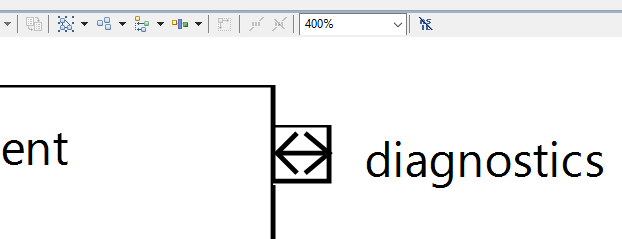
| Ports and the port direction arrow is drawn using vector graphics and can be
scaled up to any arbitrary zoom level.
| |
| Sticky columns | Sticky columns in tables are now highlighted so that it becomes easier to see where the fixed section ends. |