


| Automated QKit | With this version a separate Automated Tool Qualification Kit (QKit) is available. The QKit is available as separate download. |
| Jama Integration | With this version, the bi-directional requirements exchange with the Jama ALM/PLM solution is possible. Based on the same flexible mapping as for other integrations, requirements can be initially import from or exported to Jama, followed by subsequent pull or push of updates. |
| Safety Manual | Besides the well known user guide and the process guide, a safety manual document has been added to the standard tool documentation. The document offers instructions, guidelines, and best practices for a safe operation of medini analyze. That includes information on tool classification and qualification but more important modeling guidelines, recommendations and notes on reliability, FMEDA, and FTA features. |
| Profile attributes of kind "Date" | To improve customization of projects and templates, a new attribute type for Date attributes has been added. This kind of attribute can be used to allow users to record certain dates, utilizing easy date picks and sorting and search support in tables. Optionally, dates may also have a time stamp. 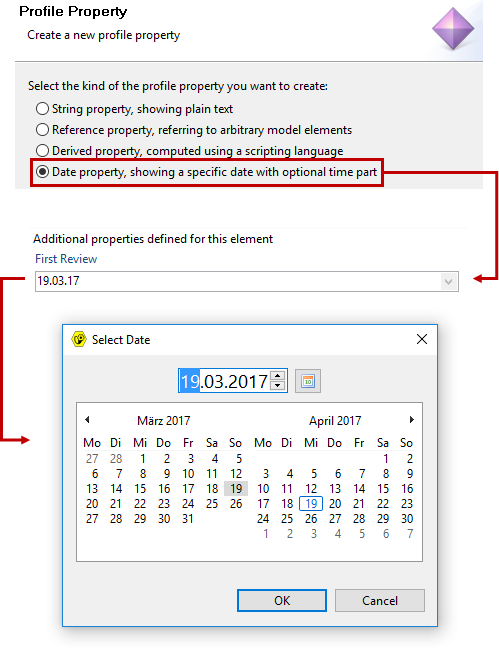 |
| Native Excel Report Format | The report engine now supports Microsoft Excel 2013 (XLSX) format, which replaces the XLS format used before. 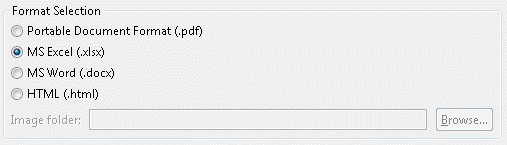 |
| FMEA Report | A new FMEA report has been added to the list of available reports. The report honours cell spanning and generates separate sheets for cover and worksheet. Note that the generic table report is still there too. |
| Improved Review Support | After long review sessions with many tickets created or changed there is now improved support to review and submit all outgoing changes. 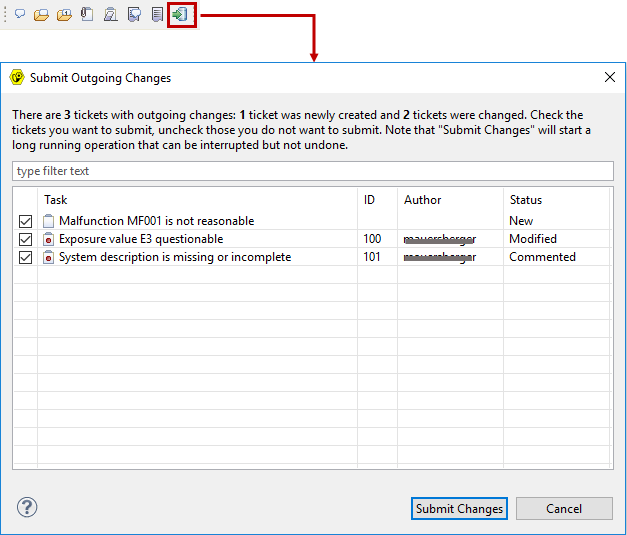 |
| Checkout Selected Revision | A project can be checked out in a selected revision now. To do so, use Checkout With instead of plain Checkout command in the Project Repository view. 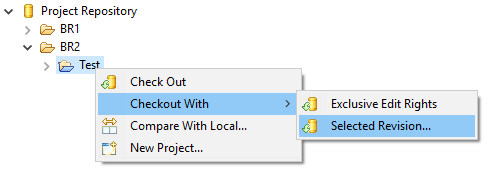 |
| Improved Column Filtering | Column filter results can now be simple negated or reversed using the "!" character as a prefix, i,.e. as the first character in the column filter text. This way it is now possible to explicit only show empty cells or cells that do not match a certain pattern. Just type "!" in any column filter to see cells you have not yet entered something. 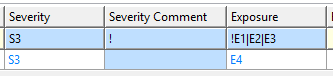 |
| Spelling Mistakes Correction | The spelling feature has been introduced a while back in an early version. With this version now, the feature was improved by not only marking typos or spell problems, but also showing correction proposals and the ability to fix the problem quickly. Hover any spell problem to get these proposal. 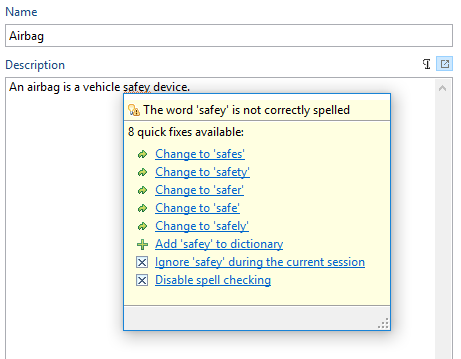 |