


To replace the M2Doc variables in your report template, you often need to know the attributes for an object.
You can display them in medini analyze by following these steps.
From the command line, start medini analyze in debug mode.
After medini analyze opens, open a project and select any element.
Right-click and select >
In the element attributes view, medini displays information about the element's properties, as shown in the screenshot below.
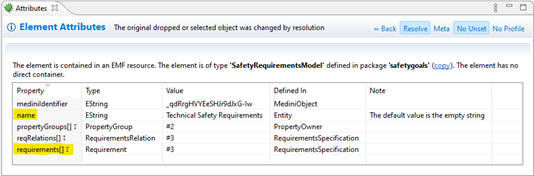
To hide any empty properties in the dialog, activate the No Unset button at the top right of the dialog box.
Proxies link models such as the requirements model into the overall project. To have medini analyze resolve a proxy, activate the Resolve button.
For more information about proxies in medini analyze, see the next section.