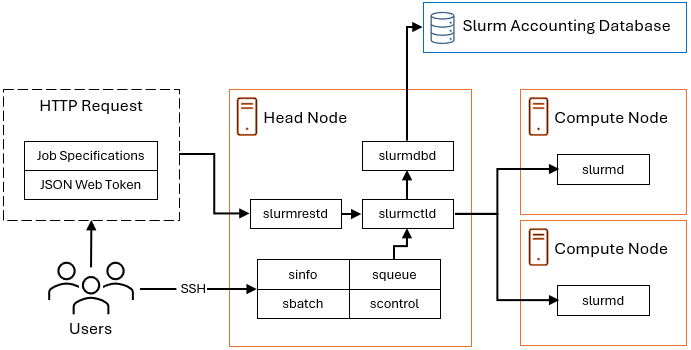
The Slurm REST API is a modern, web-based interface for interacting with the Slurm workload manager. It exposes Slurm functionality through RESTful endpoints, enabling secure job submission and management using structured JSON over HTTP. This API is designed for language-agnostic, remote, and programmatic access to Slurm. It uses JWTs (JSON Web Tokens) to verify the identity of the client making the API request. This eliminates the need to deploy the Process Launcher which is required in traditional workflows to run jobs as the submitting user.
Slurm provides a REST API through the slurmrestd daemon. For
more information see slurmrestd in the Slurm Workload Manager
documentation.
To submit, cancel, and monitor jobs via slurmrestd, you must
configure support for the Slurm REST API in the Autoscaling Service configuration
file.
The instructions below assume that Slurm is built with
slurmrestd and that you have created a Slurm cluster
configuration as described in Configure the Autoscaling Service.
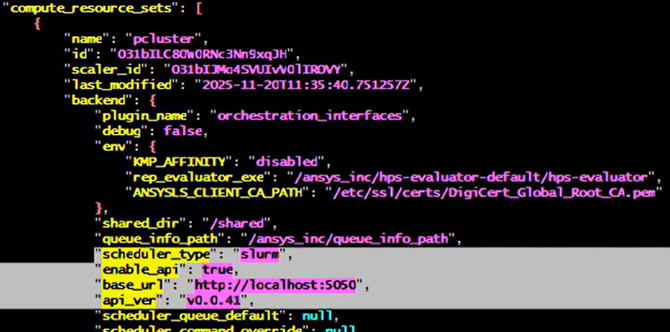
Edit the scaling_config.json file.
In the "compute_resource_sets" section of the file, specify the following properties:
"enable_api" : true,
"base_url" : <SLURM API URL>
"api_ver" : <SLURM API VERSION>
The values for "base_url" and "api_ver" depend on how
slurmrestdis configured.The base URL is the host and port on which
slurmrestdis configured to run. Specify the URL in the formathttp://<hostname>:<port>/(orhttp://localhost:<port>/if running it locally).You can extract the hostname and API version using a standard tool like
grep.The API version appears in the list of data_parser plugins and the base URL appears at the end of the output.
For example: