


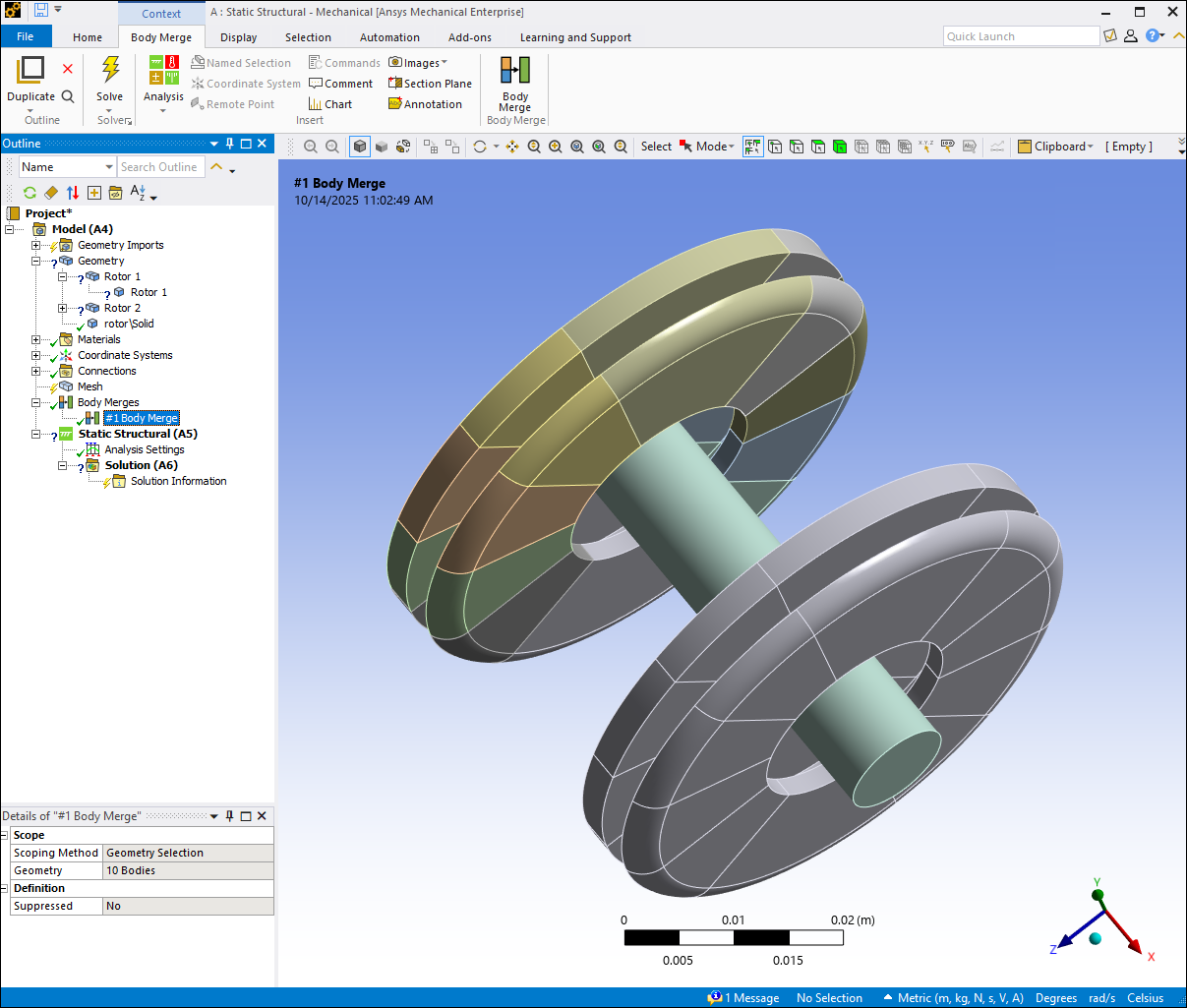
Use Body Merge to combine multiple geometric bodies with shared faces into a single merged body. The mesh is also merged if the model has been meshed. You can add more than one Body Merge object to a model.
Body Merge simplifies complicated geometries by reducing the number of bodies in a model. This is especially useful when working with complex parts. It can be easier to assign materials and apply boundary conditions to a single merged body than multiple bodies. Body Merge can also be used to merge bodies that were previously sliced to generate a hex dominant mesh.
Recommended Body Merge Workflow
Ansys strongly recommends the following workflow when you use a Body Merge in your analysis.
Import your geometry.
Generate the mesh.
Add one or more Body Merge objects. The resulting object(s) are listed under the Body Merges group in the Model tree. You might need to fix contacts or connections that change due to a body merge.
Assign materials, boundary conditions, and other model attributes to the resulting merged bodies and other bodies in your model. You might need to fix contacts or connections that change due to a body merge.
Generate a solution.
About Body Merge
To learn more about Body Merge, see the following sections:
- 6.8.1. Body Merge Requirements and Limitations
- 6.8.2. How Body Merge Affects Body Attributes, Scoping, Meshing, and Material Assignment
- 6.8.3. Adding Body Merges
- 6.8.4. Generating Body Merges
- 6.8.5. Body Merge Status
- 6.8.6. Suppressing and Unsuppressing Body Merges
- 6.8.7. Clearing Body Merges
- 6.8.8. Deleting Body Merges
- 6.8.9. Troubleshooting Body Merge Conflicts