


Hole Filling allows you to create patch surfaces to close holes in the surface meshes. Hole Filling can be performed only on continuous edges.
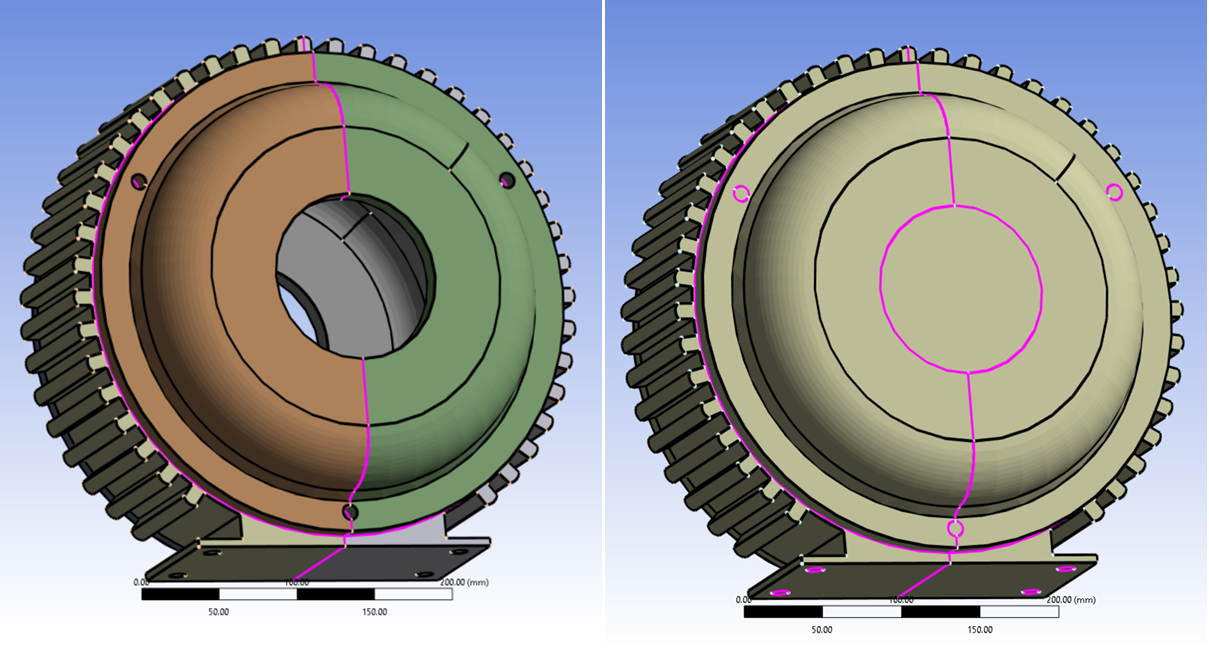
Hole Filling Details view has the following options:
General
Scope
Definition
Label Name: Allows you to label the created face zone with the specified name.
Topology Connection: Allows you to create a connected topology for the newly created faces when Topology Connection is Yes. The default value depends on the selected workflow type. When Topology Connection is Yes, hole edges should be continuous to perform fill holes operation.
Part Name: Allows you to provide the name of the created part where new faces are defined. Part Name is available only when Topology Connection is No.
Face Zone Name: Allows you to name the created face zone.