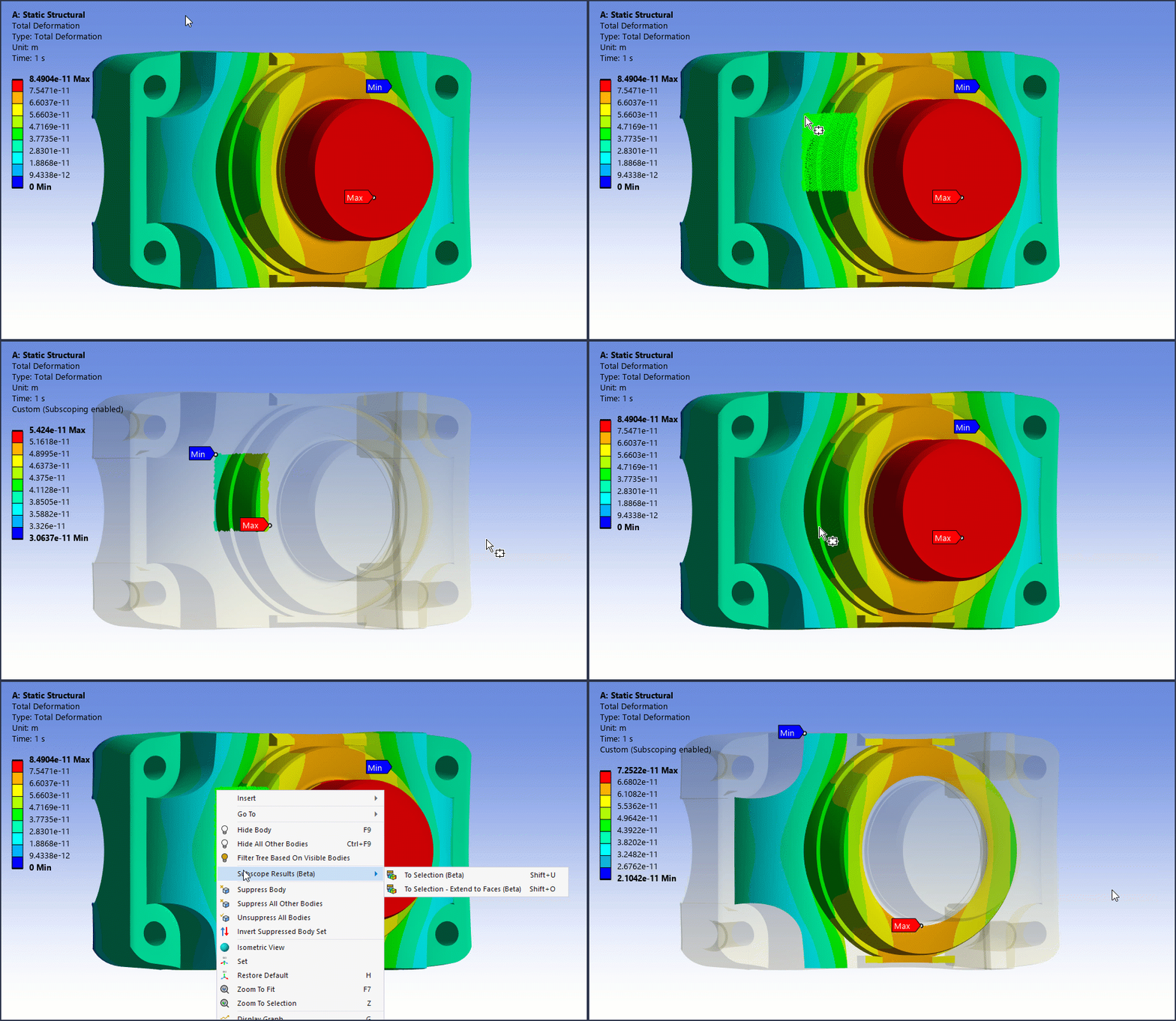
This beta feature enables you to select a subset of nodes, elements, or element faces for a given result and view the contours on that selected, subscoped portion of the already-evaluated result. This provides a quick way to obtain result values on area of interest without creating a new result object or reevaluating an existing result, which can be time consuming.
Application
Choose a set of nodes, elements, or element faces on your model. Right-click the chosen entities and select Subscoping Results (Beta) to display the available options. The following example shows these options for a box selected group of element faces.
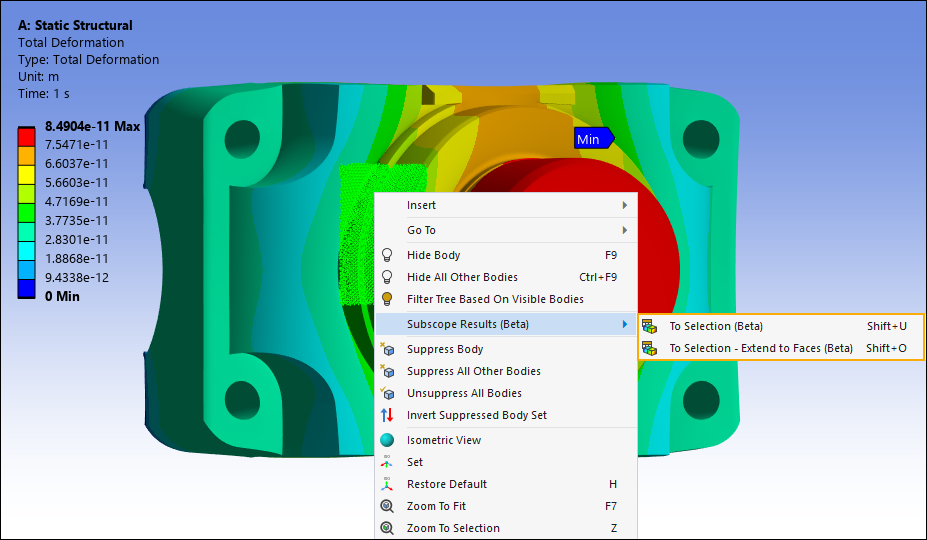
Options include:
To Selection (Beta): Performs automatic subscoping on the selected entities. The application adjusts the minimum (Min) and maximum (Max) values for the selection. Supports the hotkey combination [Shift] +[U].
To Selection – Extend to Faces (Beta): Performs automatic subscoping on the selection and expands it to all associated geometry faces. The application adjusts the minimum (Min) and maximum (Max) values for the expanded selection. Supports the hotkey combination [Shift] +[O].
Reset Results
Right-click the subscoped result and select Reset Subscoped Results to return the result and the legend to original values. This option supports the hotkey combination [Shift] +[R].
Using the Subscoping Feature
The following animation illustrates the use of the options.