


From the model context menu, you can export the shell model to an LS-DYNA keyword (*.k) file.
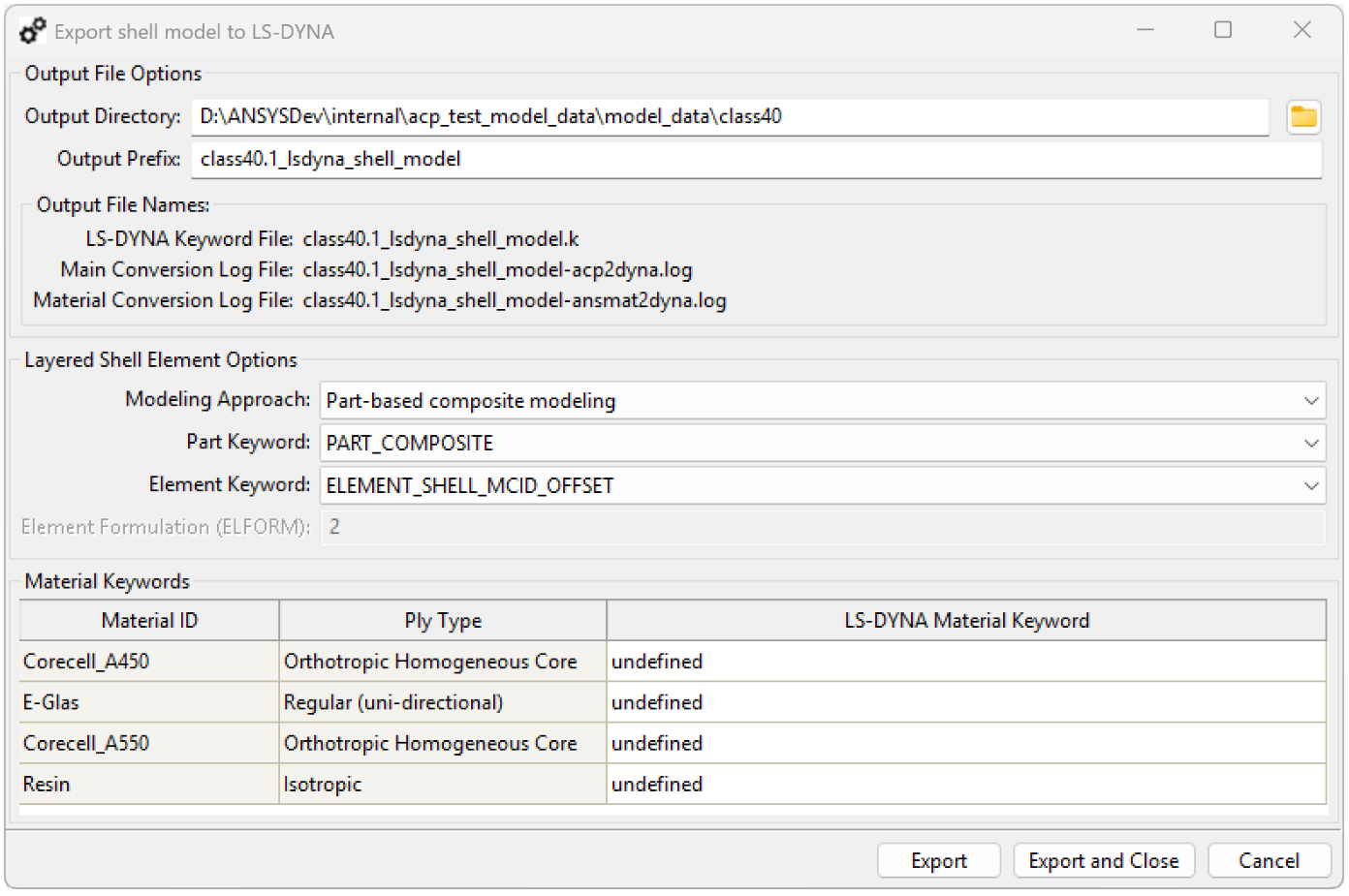
Export Options
Output File Options
Control the location and naming of output files:
Output Directory: Directory where the output files are stored.
Output Prefix: Common prefix of the generated output files.
The export process generates three files:
LS-DYNA keyword (.k) file
Main log file for the conversion process (-acp2dyna.log).
Log file for the material conversion process (-ansmat2dyna.log).
Layered Shell Element Options
Define how layered shell elements are converted to the LS-DYNA application:
Modeling Approach:
: Stores layup data at the part level.
: Stores composite layup data at the element level.
Part Keyword: LS-DYNA part keyword for layered shell elements. Options depend on the selected modeling approach.
Element Keyword: LS-DYNA element keyword for layered shell elements. Options depend on the selected modeling approach.
Element Formulation (ELFORM): LS-DYNA element formulation for layered shell elements.
Material Keywords
For each material, you can choose the LS-DYNA keyword used to represent it. Supported keywords depend on the material ply type.
Important: Material property conversion to the LS-DYNA application is incomplete:
LS-DYNA material property sets from Engineering Data are ignored.
Variable material properties are not supported.
Not all materials have a corresponding ply type. If a material appears as Undefined in the GUI, all LS-DYNA keywords are available. However, conversion might fail because the mapping is not guaranteed.
Verify the generated LS-DYNA material properties carefully. For undefined ply types, consider manually defining properties in the LS-PrePost application. LS-DYNA IDs assigned to each material are listed in the generated log files.