


 : Create, edit, or save the entities such as
Look-up Tables or Modeling Plies with Excel.
: Create, edit, or save the entities such as
Look-up Tables or Modeling Plies with Excel.
The Excel Link interface allows you to define, modify, or save the layup definition in an Excel spreadsheet. The layup can be transferred to a spreadsheet using the push function or a layup which has been defined in a spreadsheet can be imported into ACP using the pull function. By default, all layup data is synchronized between Excel and ACP. Alternatively, you can select specific Modeling Groups for which the layup is synchronized. In addition, Pull Mode controls how the lay-up is transferred to ACP. The layup can be linked to a new spreadsheet or to an existing one. The latter functionality gives you the ability to restore a layup from pre-defined data.
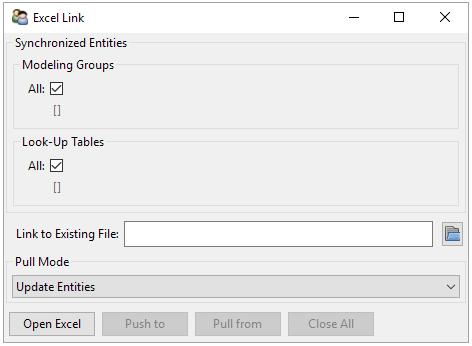
The main functions of the Excel Link are:
: Open an existing Excel file if specified. If no path is specified, a new worksheet is opened and filled with the current layup information.
: Sync layup definition data from ACP to Excel.
: Read definition data from Excel and update the definition in ACP.
: Close Excel and the ACP Dialog Box.
The following options are available for Pull Mode:
Update Entities: During a operation, definitions are updated, additional plies are generated and deleted according to Excel data.
Update Properties Only: During a operation, definitions are updated with properties given.
Recreate Entities: During a operation, existing layup is deleted and generated from scratch. The ACP Tree order corresponds to the Excel spreadsheet order.