


Models containing more than two bodies / parts will be arranged in the Tree Outline in the order of their creation by default.
The order of Bodies / Parts in the Tree Outline can be sorted alphanumerically in the tree view by enabling the Sort Bodies and Parts option.
This option is available from the context menu of the Part/Body root node in the Tree Outline.
The Sort Bodies and Parts setting will be saved in the DesignModeler database file.
The sorting applies only to the tree view in DesignModeler. Bodies and Parts transferred to any downstream application will be displayed in the order of their creation.
Bodies and parts having the same name will be sorted by the order of their creation.
Sorting of parts and bodies is case insensitive.
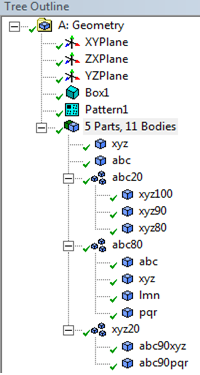 | 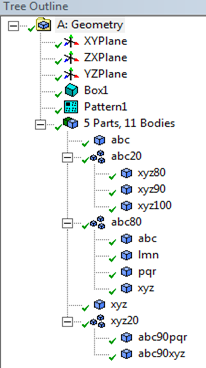 |
| Sort Bodies and Parts Off | Sort Bodies and Parts On |