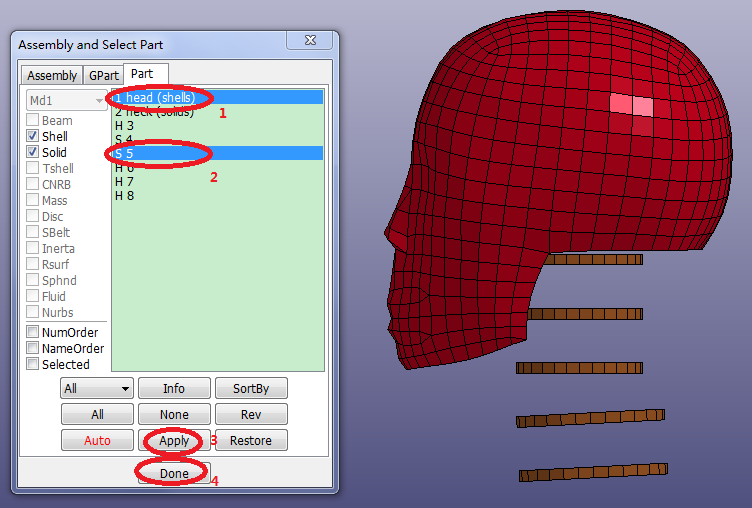
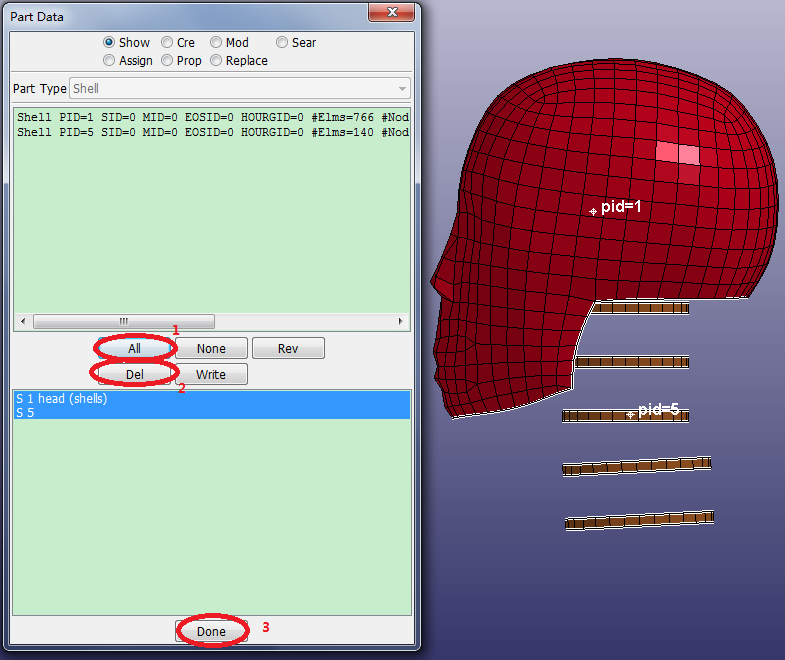
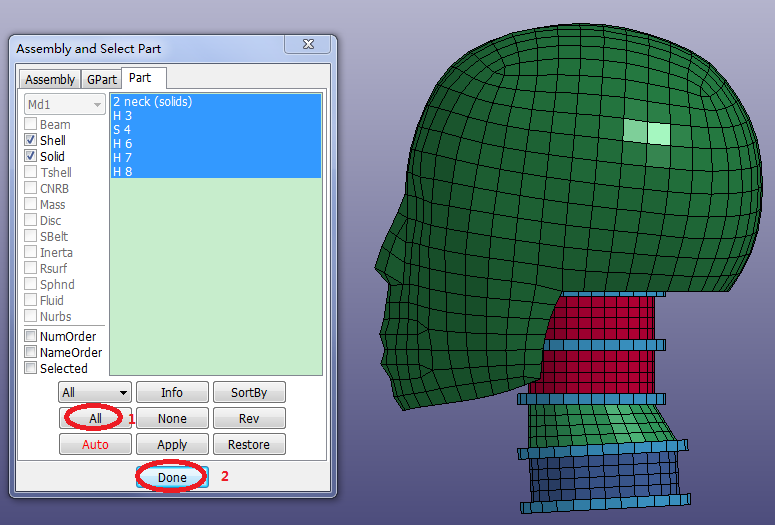
Contents Part II: Mesh Tutorials | Chapter 4: Introduction to the ElGen Interface | Print page 4.10. Clean up the ModelClick FEM > Model and Part > Assembly and Select Part.Select 1 head (shells) and S 5 from the list.Click Right render button.Click FEM > Model and Part > Part Data.Click All.Click Del.Click FEM > Model and Part > Assembly and Select Part.Click All. « 4.9. Generate Solid Elements by Shell Offset Chapter 5: Introduction to Block Mesher »