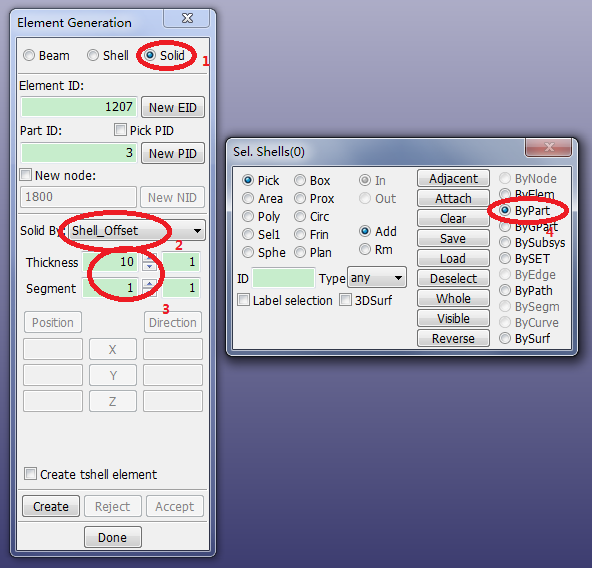
Contents Part II: Mesh Tutorials | Chapter 4: Introduction to the ElGen Interface | Print page 4.2. Generate Solid Elements by Shell OffsetClick FEM > Element and Mesh > Element Generation.Select Solid.Select Solid By: Shell_Offset.Set Thickness=10.Set Segment=1.Select ByPart in the lower panel (gen select panel).Click the head mesh in the graphics window.Click Create.Click Accept. « 4.1. Open Existing Keyword File 4.3. Generate Shell Elements from Solid Faces »