


After enabling beta feature access, as described in Introduction, you can submit your remote concurrent parametric jobs directly to Ansys Cloud Burst (if you have an account and are signed in, see Submitting Your Ansys Fluent Jobs to Ansys Cloud for details) in order to take advantage of the remote processing resource.
In the Concurrent Settings dialog box, enable the Submit to Ansys Cloud Burst check box.
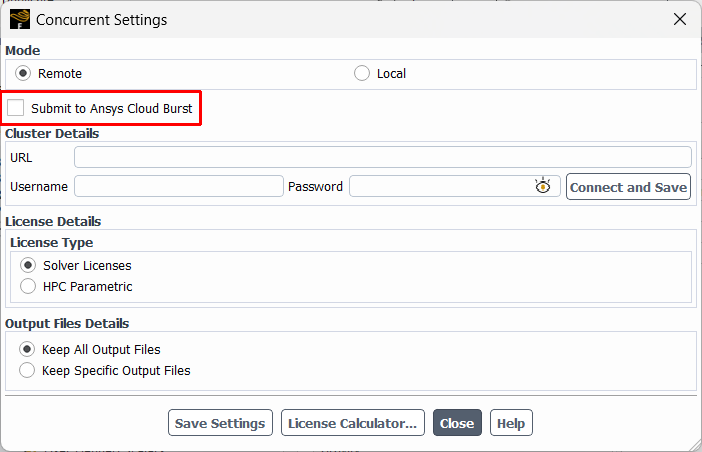
Upon doing so, you can then review and make changes to the parametric job details before you submit the jobs.
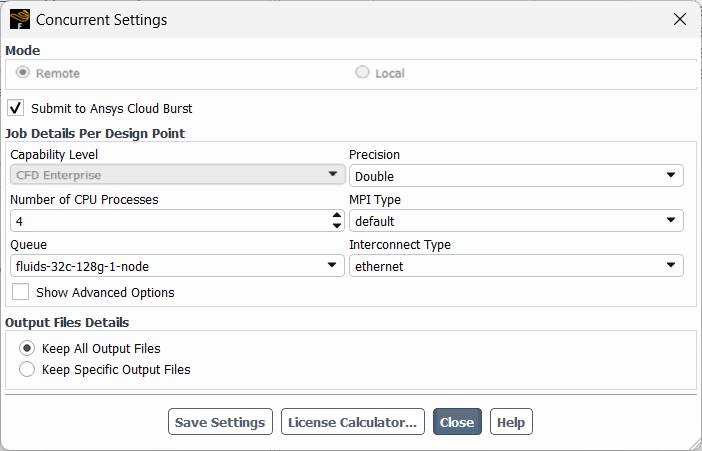
See Specifying Job Details in the Fluent User's Guide for more information on these settings. Note that when the Submit to Ansys Cloud Burst option is enabled, the Use GPU Solver, the Start Web Server, and HPC licensing-related options are not available.
Note: When submitting parametric design point jobs to Ansys Cloud Burst, all submitted jobs will use the CFD Enterprise capability level by default.