


The Project Schematic enables you to manage the process of solving your CFD problem. It keeps track of your files and shows the actions available as you work on a project. At each step you can select the operations that process or modify the case you are solving.
When you move a system from the Analysis Systems toolbox to the Project Schematic, you will see a set of tools similar to the following:
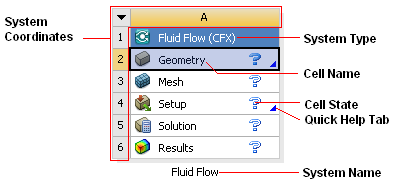
Each white cell represents a step in solving a problem. Right-click the cell to see what options are available for you to complete a step.
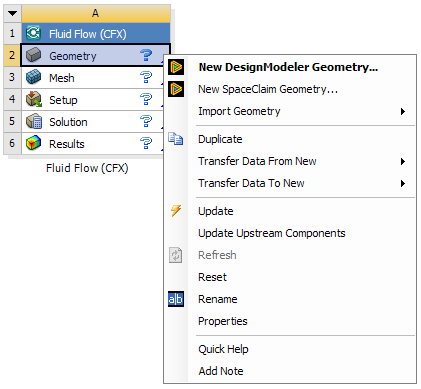
Many cells launch specialized software that enables you to perform the task required by that step. For example, in a Fluid Flow (CFX) system:
Geometry > New Geometry launches DesignModeler.
Mesh > Edit launches the Meshing Application.
Setup > Edit launches CFX-Pre.
Solution > Edit launches CFX-Solver Manager.
Results > Edit launches CFD-Post.
However, the system cells are not simply launching other software, they operate to advance the workflow. For example, if the Mesh cell is in the state Update required, you will not be able to launch CFX-Pre from the Setup cell until the Mesh cell has been updated.