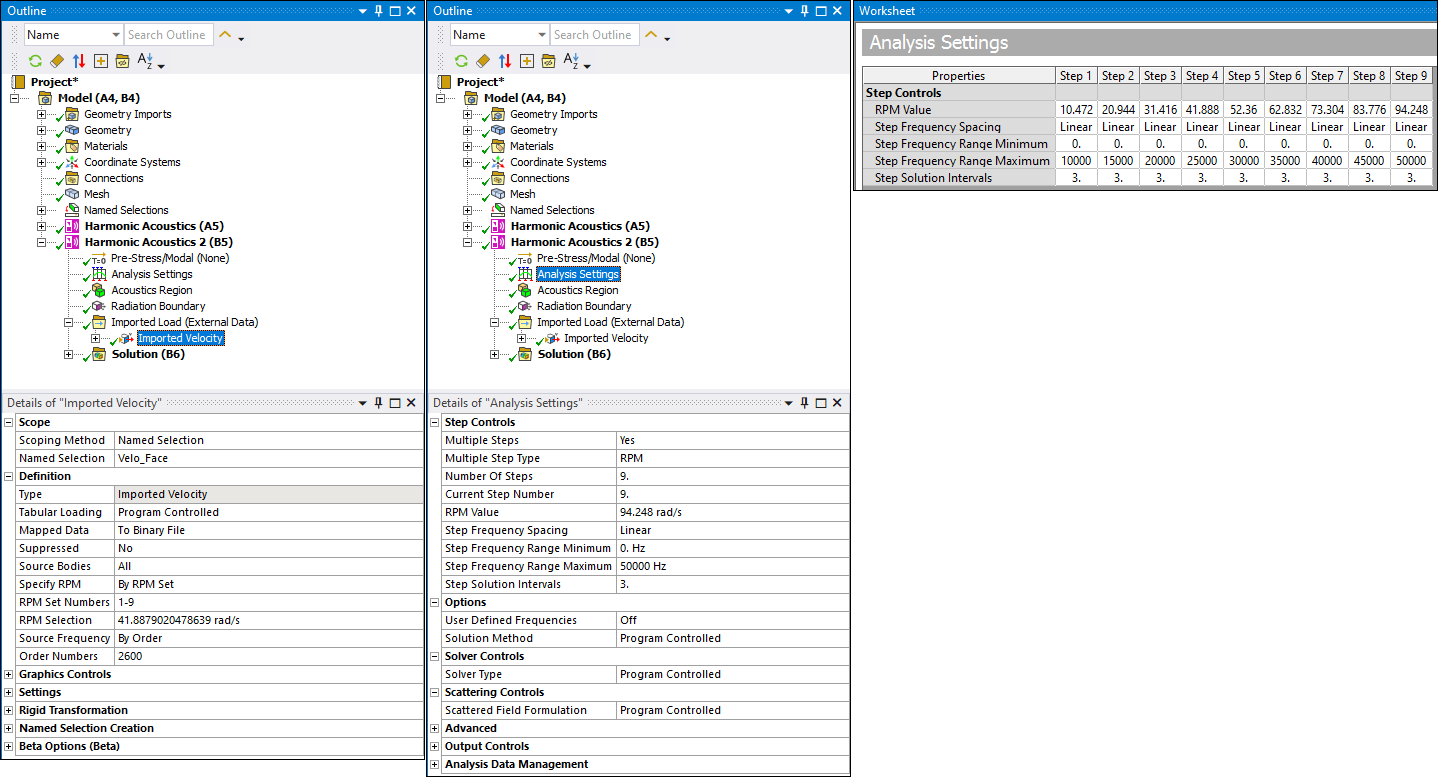
When importing velocities from an upstream External Data system using an *.h5 file, the imported data often contains numerous orders or frequencies, each with multiple RPM values. Use the context (right-click) menu beta option, Create Velocities and Sync Analysis Settings (Beta), to automatically synchronize the Analysis Settings of the downstream system with the imported velocity data.
Procedure
Activate Beta Options.
Once you import the file into the application, right-click the Imported Load (External Data) object and select Create Velocities and Sync Analysis Settings (Beta).
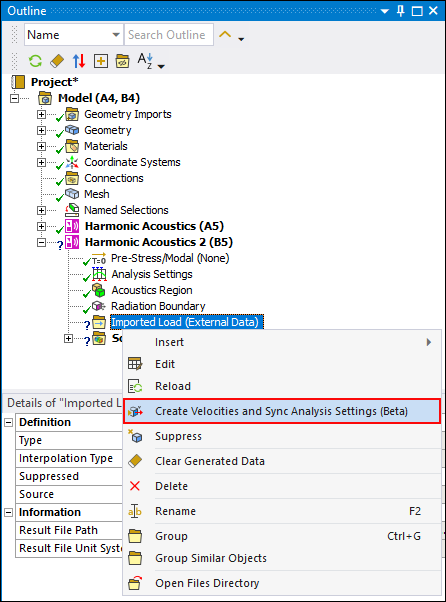
Once selected, the application automatically:
Creates an Imported Velocity child object.
Sets the Mapped Data property to To Binary File and the Specify RPM property to All.
Synchronizes the Analysis Settings object with the settings of the upstream system.