


Audit logs display all actions performed during a session.
To view the audit logs, in the navigation panel, under Admin, click . The table of audit logs is displayed.
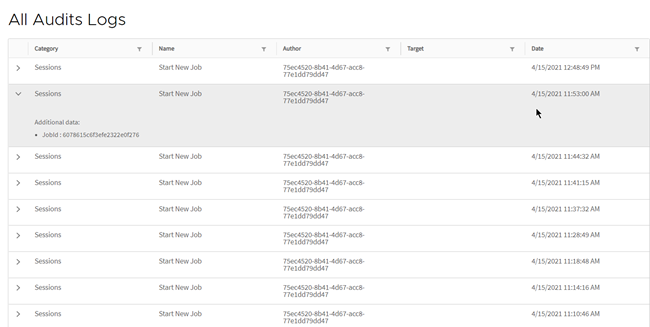
You can filter the data by column. To do so, click the filter button to the right of the column name and select or type the filter in the search field.

You can also filter using additional data.

In the key field, enter the identifier of the data type you want to filter. In the value field, enter the value for the specified data type. For example, to filter audits for a specific job, enter the following:
Key: Job ID
Value: xxxx