


Headlamps Workflow
The headlamp workflow provides the primary operations for the assessment and validation of the lighting systems.
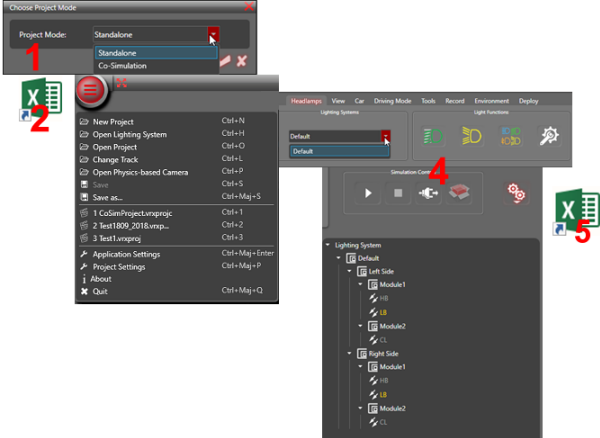
Create a project.
Create a set of lighting systems.
Note: You need to install Microsoft Excel to manage Excel lighting systems.Import the lighting systems into Ansys AVxcelerate Lighting and Sensors.
Try out, compare and validate the lighting systems on a track.
Edit the Lighting System parameters and validate it.
Once validated, edit the corresponding Excel Lighting System and re-import it in Ansys AVxcelerate Lighting and Sensors, or re-open your project file.
 Note: Ansys AVxcelerate Lighting and Sensors is a read-only simulator. To validate your headlamps modifications, you always need to manually edit your Excel Lighting System.