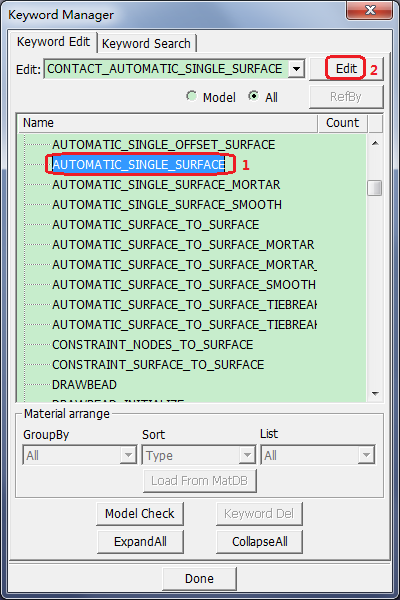
Select CONTACT >
AUTOMATIC_SINGLE_SURFACE from the list.
Click Edit.
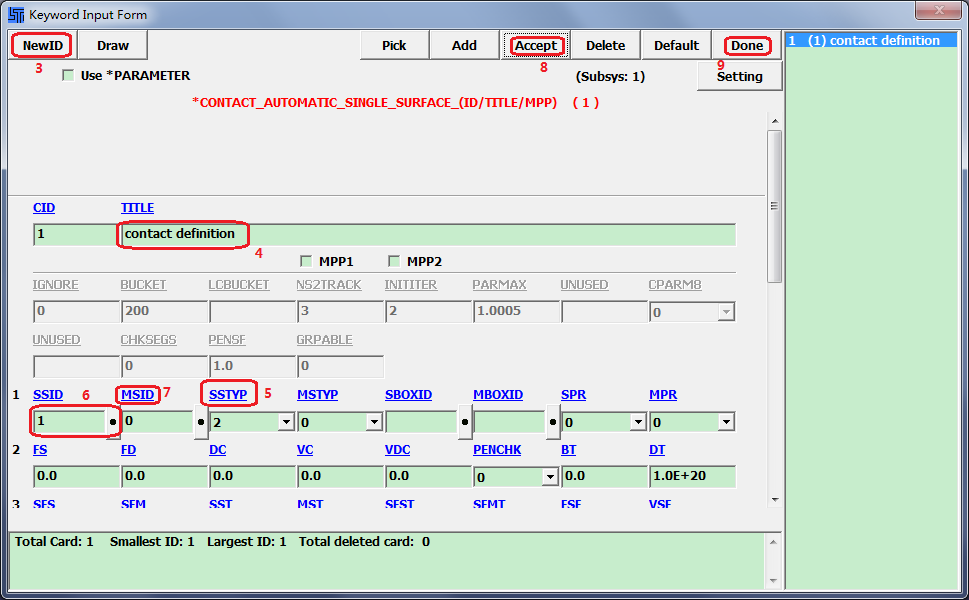
Click NewID in the Keyword Input Form dialog.
Enter TITLE: contact definition.
Select SSTYP = 2.
Click the SSID link button (dot), select 1 contact part
set and click Done in the Link SET
dialog.
Enter MSID = 0.
Click Accept.
Click Done.