


Setting the Lens System for Fisheye Camera
This section shows how to configure the optical part of the camera to reproduce a camera with a fisheye (wide-angle) lens that takes into account the distortion and influences how light is captured from the environment and then focused onto the imager to get a 360° view.
Note: Physics-based Camera is available under Real-Time Camera license.
To Set the Lens System:
-
From the View tab,
select the Physics-based Camera view
 and, click Properties
 .
.
-
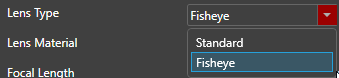
Go to Lens Systems > Lens Material, select Fisheye.
-
Select a Lens Material.
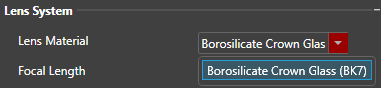 Note: In Ansys AVxcelerate Lighting and Sensors, the default lens material is Borosilicate Crown (BK7) and this cannot be changed.
 -
Type a Focal Length
value in millimeter to set the distance from the imager to the optical center of the lens
system.

-
Set the Wavelength of Focal Length in nanometers.

-
Enter an Aperture Area value in mm2.

-
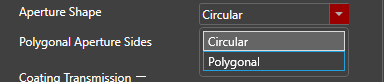
In Aperture Shape, choose Circular or Polygonal.
For polygonal aperture, define the number of sides from the Polygonal Aperture Sides list.
-
Define a Coating Transmission value between 0 and 1 for each
wavelength to set how much light is transmitted by the lens coating.
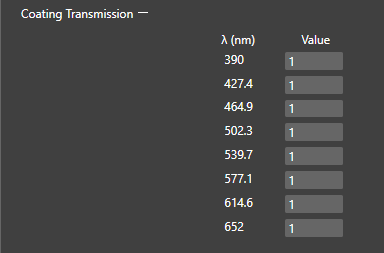 Note: You can set the coating transmission value to 1 to neglect coating, or if you only know the overall lens transmission.
 -
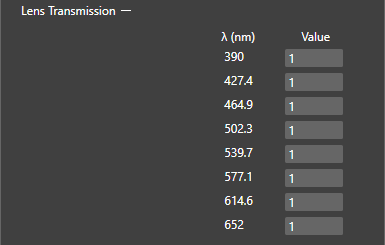
Define a Lens
Transmission value between 0 and 1 for each wavelength to set the total
transmission of a light ray through the lenses of the lens system.
-
From the Distortion Type
drop-down list, choose Equidistant to maintain
angular distances.
 Note: To reproduce a specific (fisheye) camera, you need to get parameters from the supplier. The lens supplier usually provides a graph that represents distortion from which you can determine the Distortion Type and from which you can assume the Distortion k values that better match the graph provided.
 -
From Distortion, set k1, k2, k3,
k4 and k5values while making sure the distortion model is constantly
increasing to determine how the incident light is focused by the optical center onto the imager pixels.

The Lens System of the fisheye camera is set.
Note: The Physics-Based camera image is only physically correct when it is
deployed (see deploy mode). Make sure to use the
same resolution in the deploy as the one defined for the imager of the Physics-based
camera.
The Editor view can be used for demonstration purposes, but for all other uses, the image from a deploy should be used.