


Units
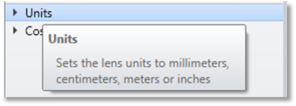
The Default System explorer view only shows Lens Units in the Units settings.
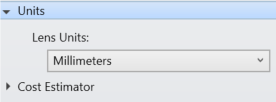
Lens Units:
Lens units defines the units of measure for dimensions in most of the spreadsheet editors. These dimensions apply to data such as radii, thickness, entrance pupil diameters, non-sequential position coordinates, and most other parameters in OpticsViewer.
There are four choices for lens units: millimeters, centimeters, inches, or meters.
For most imaging analysis features, such as ray fans and spot diagrams, the displayed units are micrometers. The symbol for micrometers is µm. The term "microns" is also commonly used in optics. The unit micron is identical to micrometer. Wavelengths are always defined in micrometers. The choice of lens units has no effect on the wavelength units.
CAD Units:
CAD units define the unit of measure for all CAD geometry in OpticStudio. The setting determines how geometry is scaled when performing any operations using the Parasolid libraries. When creating geometry in Parasolid, OpticStudio will account for the scale difference between OpticStudio and Parasolid at all 'interface' points betweeb them. Any exported CAD files will be created using the specified CAD units, except for native Parasolid files which will always be created in meters.
By default, the CAD units will be the same as the lens resulting in no scaling of geometry between OpticStudio and Parasolid.
Next: