


File drop-down
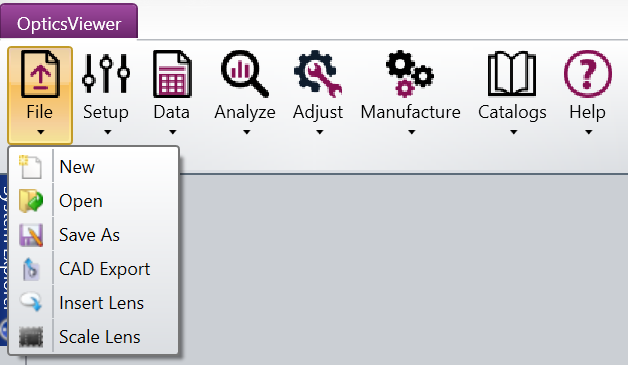
This drop-down provides access to OpticsViewer's File Management capabilities.
New: Clears the existing design file and start a new one.
Open: Opens any ZMX or ZAR file. The Open drop-down menu displays recently opened files.
Save As: Saves a copy of the design with a new name, keeping the original file unchanged. You can save a ZMX or a ZAR file. All OpticsViewer data is stored in a ZMX file. ZAR files include catalog and user defined data.
CAD Export: Opens the CAD Files tool.
Insert Lens: Inserts surface data from a previously stored lens data to the current lens file. See also Insert Lens.
Scale Lens: Scales the entire lens by the specified factor. See also Scale Lens.
Next: