


The Tolerance Tab
Tolerance Tab (Sequential UI Mode).

Tolerance Tab (Non-sequential UI Mode).
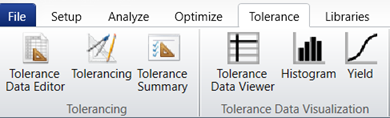
The Tolerance Tab contains tools used to tolerance an optical system. Tolerancing allows you to see the effect of finite manufacturing and assembly tolerances on the design.
The Production Tools group provides real time cost estimates and tools which tidy up the system to prepare for manufacturing.
In the Tolerancing group, the Tolerance Data Editor is where you will enter the tolerances you wish to place on each parameter. The Tolerance Wizard will quickly set up a set of tolerances which you can then edit.
The Quick Tolerancing group provides tools to get speedy tolerancing predictions early in the design process, to give the user a directional sense for the as-built performance of their system.
The Tolerance Data Visualization group provides access to all of the data from a sensitivity or Monte Carlo run, as well as analyses which provide performance insights at a glance.
The Manufacturing Drawings and Data group creates manufacturing drawings in ISO 10110 format and an OpticStudio-specific format, as well as exporting data about the surface to cross-check manufacturing setup.
See the "Tolerancing Overview" chapter for more information on how to perform a tolerance analysis.
Next: