


Tools, features and capabilities
Mechanical pivot point operand (MPVT) (Premium and Enterprise editions)
Simulate as-built optomechanical pivot points.
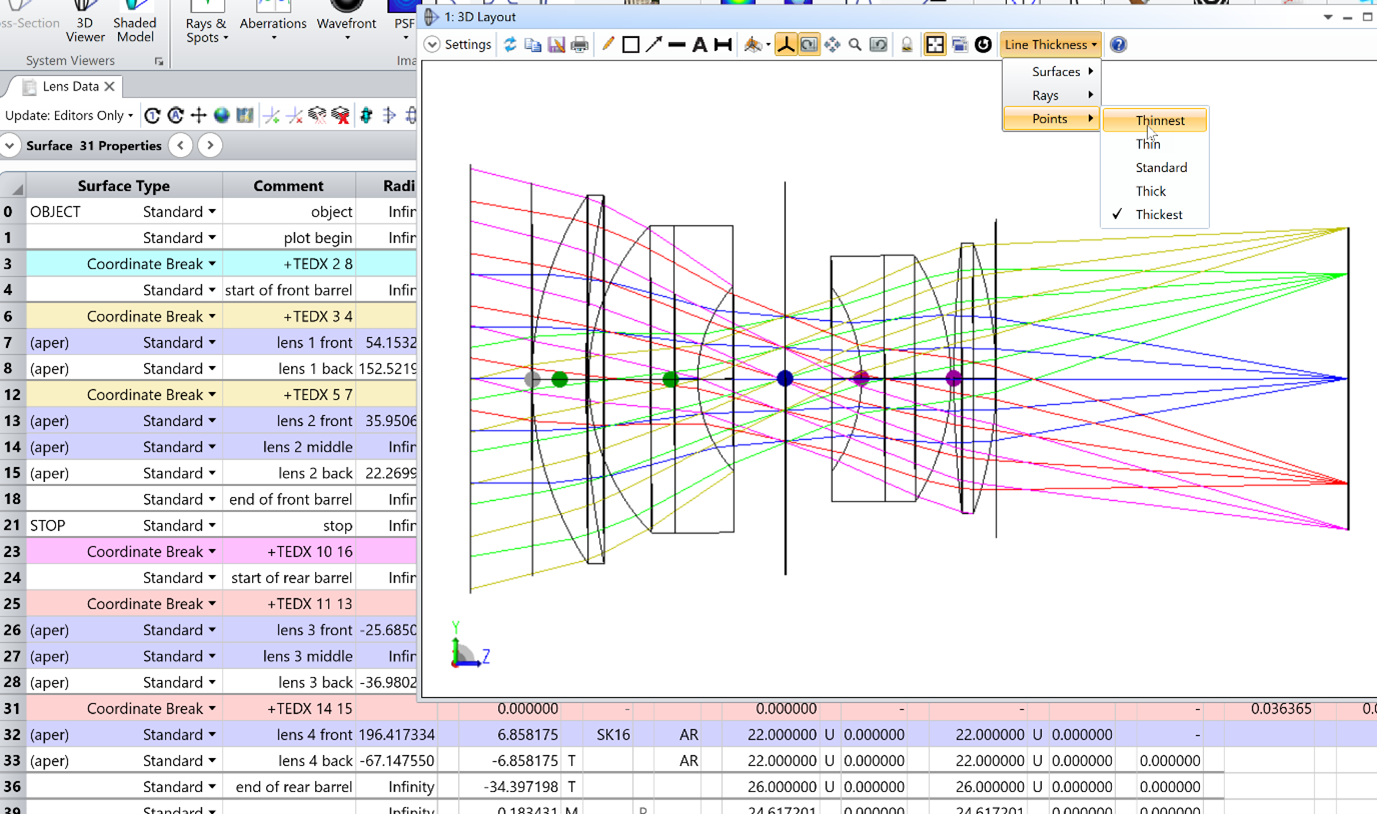
A new tolerance operand has been added that defines the mechanical pivot point type for all element position tolerances. The MPVT operand can be used to define different mechanical pivot points throughout the system. Additionally, a button has been included in the tolerance data editor that allows you to generate a Monte Carlo file without having to go through the tolerancing set-up. Mechanical pivot points will be shown in the layout plots to allow you to see their location in the system. These will also be visible in the LDE on the coordinate breaks that hold the positional tolerances.
Improved FICL Operand Support (All editions)
Enhance fiber coupling analyses with expanded FICL support.
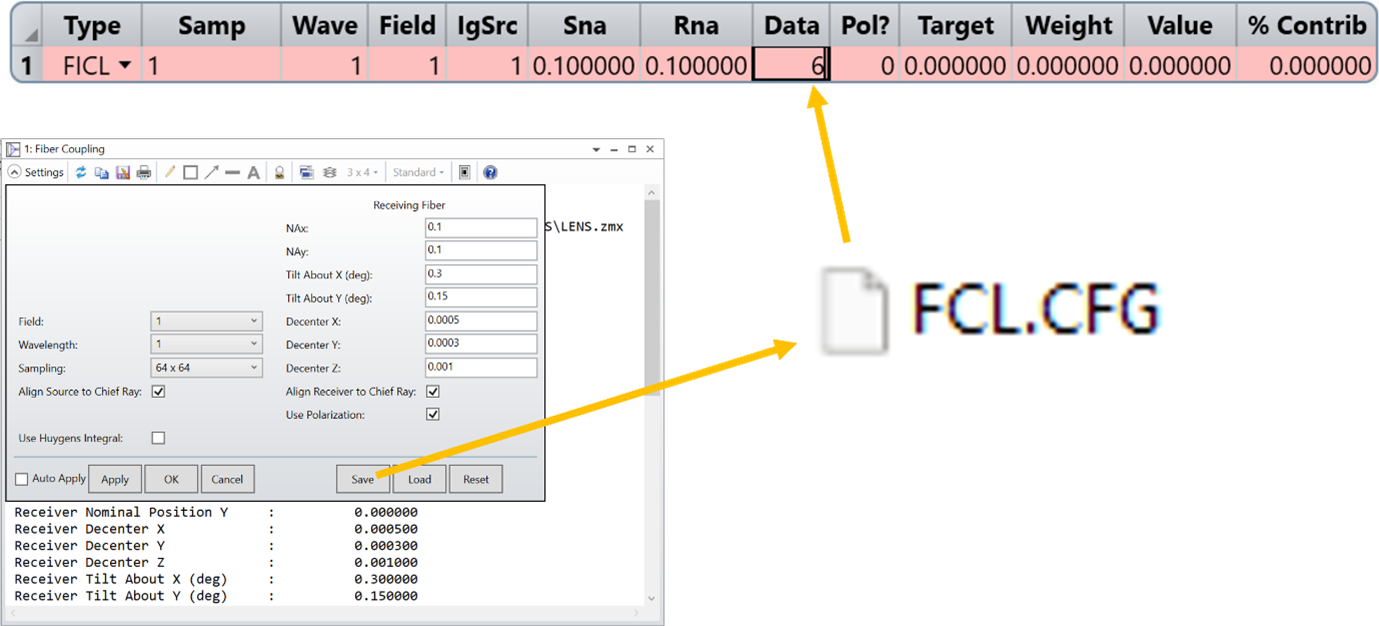
A The FICL merit function operand now supports all settings available in the user interface for the Single Mode Coupling analysis. To utilize this new feature, first define your settings in the Single Mode Coupling analysis and click "Save" in the settings box to create (or update) the configuration (CFG) file. In the merit function, set the Data parameter for the FICL operand to a value between 6–11 (instead of 0–5) to apply the settings from the CFG file. For more information, please refer to the Help file.
Enhanced CODE V Converter (All editions)
Effortless CODE V conversions with precision and reliability.
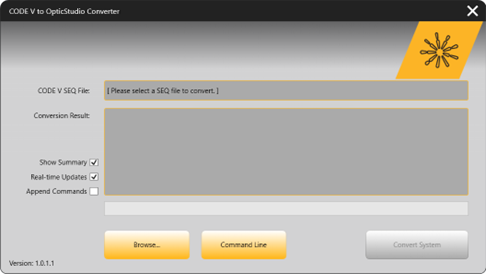
We've upgraded our CODE V converter to deliver a seamless and reliable experience when converting CODE V .SEQ files into OpticStudio .ZMX files. With a single click, watch your lens file come together during the conversion and access a detailed, line-by-line .HTML conversion report viewable in any browser. Enhanced material management, support for more complex surfaces, and increased stability make the conversion process smoother than ever. For added convenience, the tool also supports file batch mode for programmatic or large-scale conversions. This release also resolves several issues to further enhance accuracy and reliability. Fixes include improved handling of ZRN commands, QCN parameters, CIR aperture types, tilted Object Surfaces, model glasses, and Binary 2 surface parameters. Long strings, Even Asphere surfaces with more than 16 orders, and truncated SEQ strings are now processed correctly, avoiding errors like "string is too long" or incomplete conversions. Additionally, unknown materials no longer terminate the process, and the converter is now more stable overall..
Export Specific Rays to CAD (All editions)
Ensure mechanical parts properly align outside of the ray path.
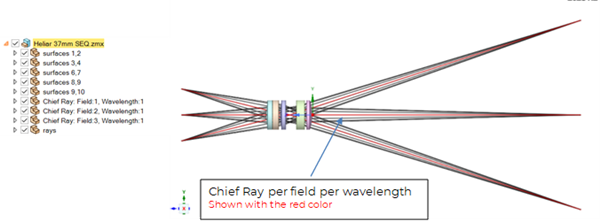
A new feature to the Export CAD File tool allows you to export filtered rays to help your CAD counterpart to properly align their mechanical parts outside of the ray path. In Sequential mode, users may export the chief ray for each field and wavelength, and in Non-Sequential mode users may export any filtered ray set, using the same options for filtering that are found in the NSC 3D Layout. The exported ray file imports into CAD and may be clicked on or referenced to during the "mating" CAD operation.
Ray Footprint support for apertures (All editions)
Rays vignetted by an aperture will now export to CAD.
The Export Ray Footprint to CAD introduced in Ansys Zemax OpticStudio 2024 R2.02 release has added support for files containing mechanical apertures. Previously, the Ray Footprint export would not generate a file in the case where rays were being vignetted. With this new support, if rays are vignetted by an aperture, the file will pass through and export to a CAD file.
Dark Theme (All editions)
Choose Dark theme for reduced eye strain and better battery life.
You can now customize your interface by choosing between the Zemax Classic and Dark themes. The Dark theme is optimized for low-light environments, helping to reduce eye strain and fatigue during extended use. Additionally, it may contribute to improved battery life on portable devices by utilizing a darker color palette.
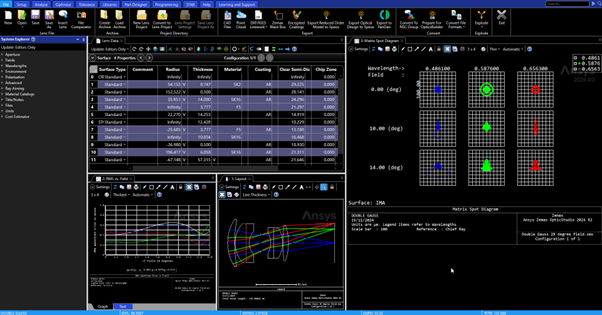
You can easily switch between themes in the OpticStudio Preferences under the General tab.
Chinese Help Files (All editions)
Global access through expanded language options.
Help files are now available in both simplified Chinese and traditional Chinese, making it easier for users across different regions to access and understand OpticStudio. This enhancement ensures a more inclusive and global experience, enabling users to work more effectively in their preferred language.
Migrate OpticStudio in-product Help Files to Ansys Help (All editions)
Online Help will minimize installer size.
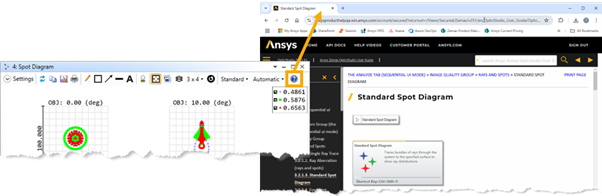
Clicking the help "?" in any in-product tool or analysis will now open a browser to Ansys Zemax OpticStudio Online Help. The browser will open the section of the help that corresponds to the tool where help was selected. In addition, this online help will be accessible to the public from any online browser, in all supported languages (English, Japanese, Simplified Chinese, Traditional Chinese). CHM files of Help Files will no longer be downloaded with Ansys Zemax OpticStudio to minimize the file size of the installer. PDF help will be included in the installer and a toggle switch can be found in OpticStudio’s preferences for anyone that wishes to open the PDF from in-product while working offline.
Streamlined Support Access Through the Ansys Customer Support Space (ACSS) (All editions)
All in-program links to support have been updated to point to ACSS.
The Ansys Customer Support Space (ACSS) is now the primary destination for technical support for Ansys Optics products, including Ansys Zemax OpticStudio. This move provides you with a unified support experience for all of your Ansys products. For case support, ACSS may be accessed by following this link: https://customer.ansys.com. Access to ACSS requires registration. Instructions for how to register are available here: https://courses.ansys.com/index.php/courses/ansys-customer-support-space/. This is part of a larger effort to integrate Zemax web content with Ansys systems.
To support this migration, all previous Zemax support channels have been disabled. Old email addresses and the Zemax support portal on zemax.com are no longer in use.
Creo 10 support (All editions)
New Creo version support.
OpticStudio’s dynamic link tool has been updated to support Creo 10, in addition to existing support for Creo versions 4, 5, 6, 7, 8, and 9. This enhancement allows seamless integration of CAD geometry into your optomechanical design workflows, enabling you to import and work with the latest Creo models.
ZOS File Format Deprecation (Phase 2) (All editions)
Wrapping up effort to remove ZOS file format.
This work finalizes the effort to remove the ZOS file format from OpticStudio. Users will no longer see .ZOS file types in the samples folder of the installer. Users will also notice that they will be asked to save any .ZOS files opened in OpticStudio as a .ZMX file instead.