


Specifying Coatings on Surfaces
Once a coating has been defined, it can be applied to a surface by specifying the coating name in the coating column; located at the extreme right side of the lens data editor.
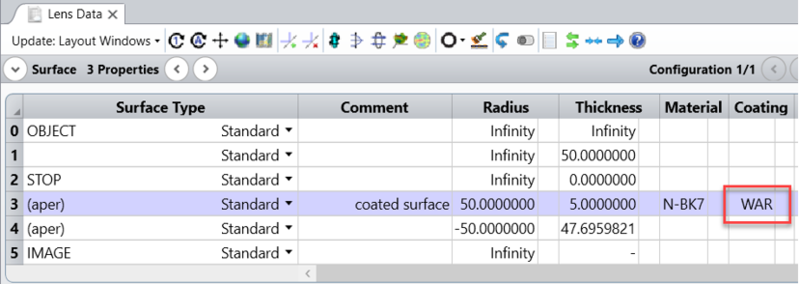
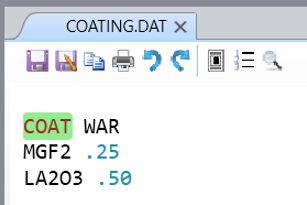
OpticStudio interprets the coating definition using one of four rules:
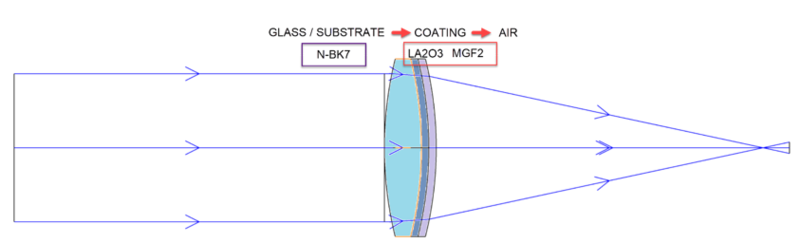
If the surface specified is a boundary going from air to glass, the coating layer order is interpreted exactly as specified in the coating file.
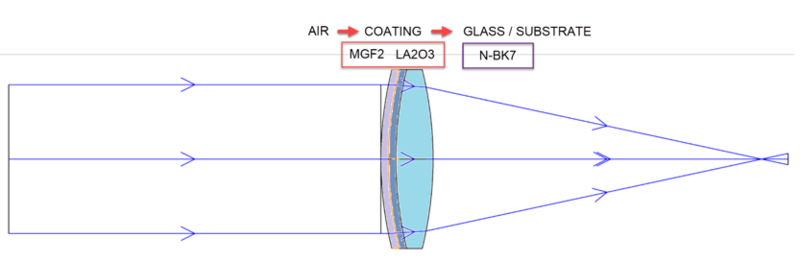
The incident media is air, then the outermost layer is listed first (at the top) of the coating definition, then the next layer, etc., with the substrate being the glass type on the surface. The definition of the coating should not include the substrate index or material definition.
The term glass here means the glass type is not "MIRROR", and not blank (which is treated as unity index for air). Gradient index lenses are considered glass. Rays are only reflected by reflective coatings applied on glasses in NSC mode with ray splitting on.
If the surface specified is a boundary between air and air, or glass and glass, the coating is also interpreted exactly as for air to glass, with the appropriate calculations done for the incident and substrate media.
If the surface specified is a boundary going from glass to air, then the order of the layers is automatically reversed, so that the coating is the same as if it had been applied going from air to glass.
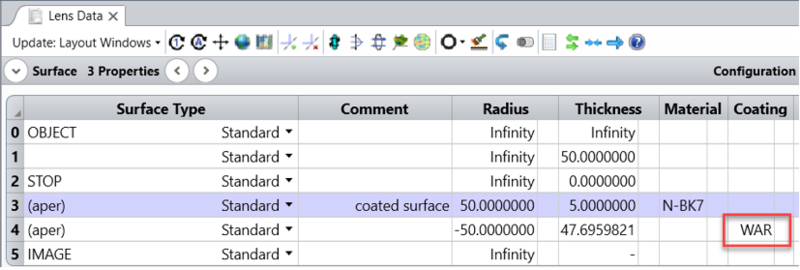
Therefore, a coating defined by ALHHS, would be interpreted as SHHLA if the boundary goes from glass to air.
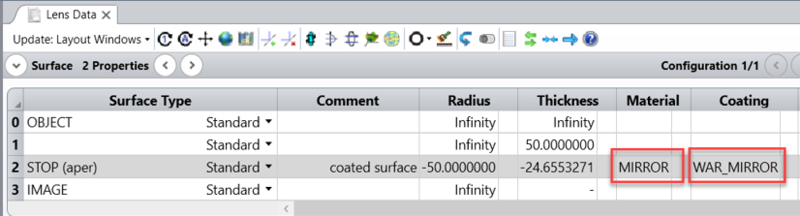
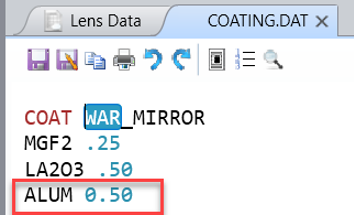
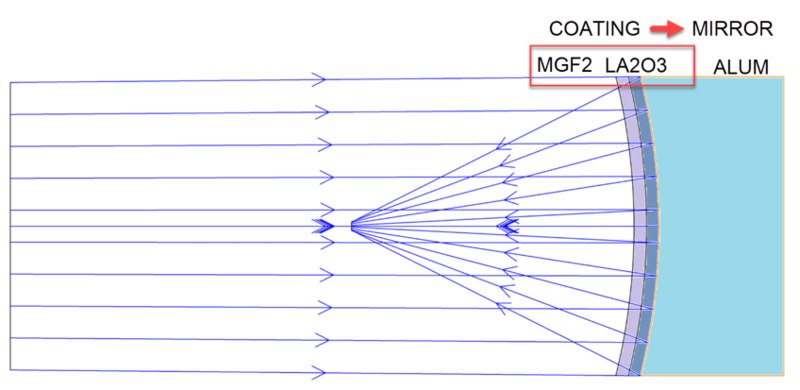
If the surface type is a mirror, then the coating definition must include the substrate index. The last layer in the coating definition is then assumed to be a semi-infinite thickness of substrate material.
OpticStudio may also model certain limiting cases, such as frustrated TIR; see What OpticStudio can compute using polarization analysis.
Next: