Key Concepts Overview
ModelCenter is built on a small set of core ideas – Components, Workflows, Variables, Views, Links, Schedulers, Geometry, Trade Studies, Projects, and integrations like ModelCenter Remote Execution (MCRE) and ModelCenter MBSE – that work together to automate and orchestrate engineering analyses. This page gives you the mental model and points to the topic pages where each concept is explained in depth.
How these concepts fit together (the mental model)
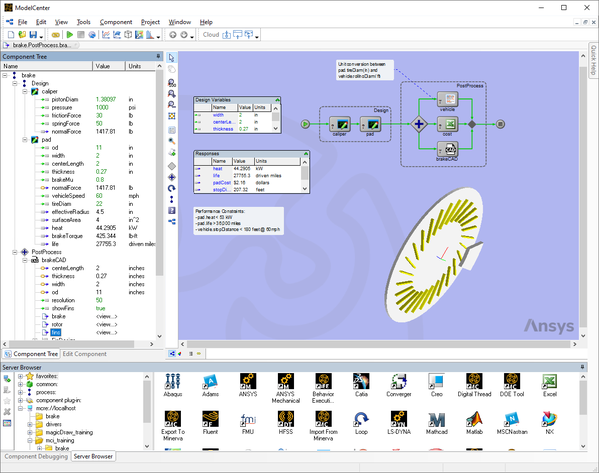
- Wrap analyses as Components (the "black boxes" with inputs, outputs, and a run method). Components can be native plug-ins, scripts, geometry, or packaged analyses hosted on ModelCenter Remote Execution (MCRE).
- Build a Workflow from Components. Use Links to connect outputs to inputs and define data flow, then let a Scheduler decide run order (data‑driven) or explicitly orchestrate execution as a Process flow.
- View and edit Variables (inputs/outputs) in the Component Tree and watch execution in the Analysis View. Visualize Geometry in the Geometry View.
- Explore designs with Trade Studies (Parametric, DOE, Optimization, Probabilistic, Carpet Plot) and Data Explorer plots.
- Connect to SysML models to drive MBSE requirements verification with ModelCenter MBSE.