


Smart Edit Bar
The Smart Edit Bar provides a fast way to edit values for variables and to create and break links. The Smart Edit Bar is normally located just below the toolbar section.
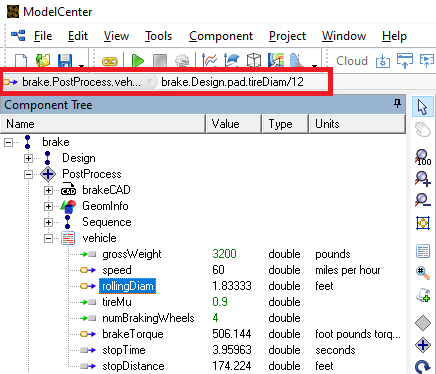
The Smart Edit Bar displays the currently selected item. If the item may be edited, for example, a link or an input data item, then the value for the item may be entered directly into the edit field.
| Smart Edit Bar | Selected Item |
|---|---|

|
Input data item When an input data item is selected, its value is displayed in the edit field. To specify a new value, type the new value and press Enter. |

|
Output data item When an output item is selected, its value is displayed in a read-only field. If the value is invalid, the icon is displayed with a red X through it. |

|
Linked data item When a linked data item is selected, the equation for its link is displayed. This equation may be modified, or it may be broken by deleting it entirely. |

|
Component If a Component is selected, the data source associated with it is displayed. |