


Mathcad Plug-In (Legacy) Reference
The capabilities of the Mathcad Plug-In (Legacy) are divided into two groups:
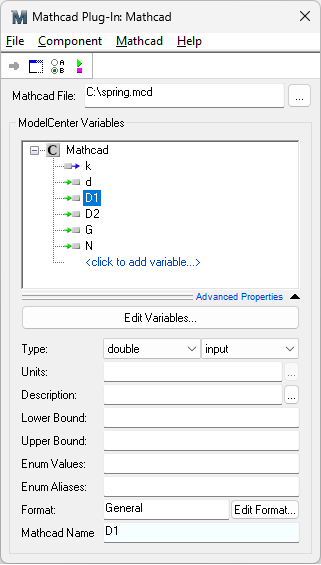
Mapping Mathcad Variables to ModelCenter Variables
Variables are created in the Mathcad Plug-In (Legacy) by clicking on the <click to add variable...> text. Clicking this area will prompt you to enter variable information as shown below:

Upon creating a variable, property fields will be enabled.
Variable Properties
Properties for each variable can be customized. Note that some properties, such as lower and upper bounds, are only available depending on the type of variable currently selected. Property values are optional with the exception of the Range value which must be specified for each variable.
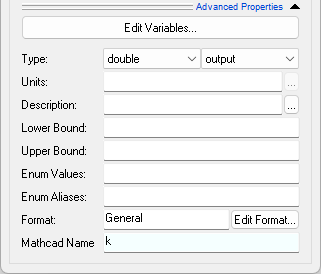
- Type - Both the type and state may be specified for a variable. Variable types include double, integer, string, and, 2-dimensional arrays of doubles and integers. The variable state can either be input or output.
- Units - Units for the variable.
- Description - Short description of the variable.
- Lower Bound - Numeric lower bound value.
- Upper Bound - Numeric upper bound value.
- Enum Values - A comma separated list of acceptible values.
- Enum Aliases - A comma separate list of strings that can be used in place of the enum values. The number of enum aliases, if specified, must be equal to the number of enum values.
- Format - The format ModelCenter should use to display the variable.
- Mathcad Name- The name of the corresponding variable in Mathcad.
Editing Variables Textually
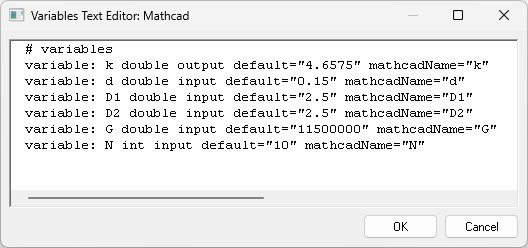
To edit the variables in a text view, press the Edit Variable... button. This will launch the Variables Text Editor dialog which can be used to quickly edit a set of variables.
Options
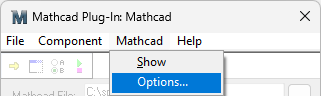
The Options dialog allows you to customize the behavior of the Plug-In.
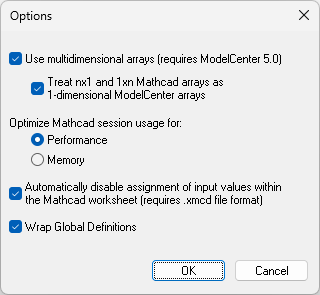
- Use multidimensional arrays - If checked, Mathcad matrices are stored as two-dimensional arrays. If unchecked, ranges are stored as one-dimensional arrays. Note that this option is only available when used with ModelCenter 5.0 or greater.
- Treat nx1 and 1xn Mathcad arrays as 1-dimensional ModelCenter arrays - If checked, Mathcad matrices consisting of one row or column are treated as a one-dimensional array. If unchecked, the arrays are sized as 1xN or Nx1.
-
Optimize Mathcad session usage for -
- Performance -- a Mathcad session is kept active for the lifetime of the Plug-In Component.
- Memory -- the Mathcad session is only active when the Plug-In Component is run.
- Automatically disable assignment of input values within the Mathcad
worksheet. If selected, the Mathcad worksheet is modified prior to loading
so that assignment regions (for example,
 )
are disabled. This assures that the value sent from ModelCenter is the value
used within the worksheet.
)
are disabled. This assures that the value sent from ModelCenter is the value
used within the worksheet. - Wrap Global Definitions - Uncheck this if you have units defined as global definitions in your Mathcad sheet and then wrap the sheet again. By default this feature is always checked.