


Process Components
ModelCenter includes several components that can be used in Process workflows:
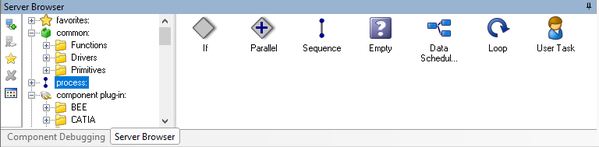
| Component Name | Description |
|---|---|
| Empty |
The Empty component can be used as a placeholder in a Process model. When laying out a process execution, if the specific analysis is not available or if you prefer to create a template version of the process, use the Empty component. Later when you have the specific analysis component that you would like to use, you can replace the Empty component by dragging the analysis component onto the Empty component. |
| Loop |
The Loop component provides several looping types:
|
| If | The If component can be used to conditionally execute components in process models. |
| Parallel | The Parallel component is used to execute components concurrently. This is useful in cases where analyses that run after the parallel block need results from the parallel components, but the the branches in the component don't have to run in a specific order. Currently only ModelCenter Remote Execution components can truly run in parallel since they are executed on separate hosting machine, but there is no inherent restriction to adding any component type. |
| Sequence | The Sequence component is used to execute components sequentially (one after the other). Sequences helps to add structure to a workflow by graphically grouping components together. Sequences serve a purpose similar to Assemblies in Data Dependency models, giving structural meaning to the grouping of components. In fact, when you create a new Process workflow, the root component is actually a sequence component. |