


How to Set Up Rhapsody
- Open a Rhapsody SysML model (either an existing model or a new model).
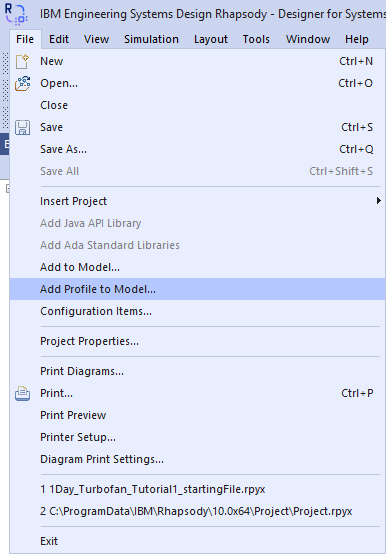
Open the File menu and select "Add Profile to Model".
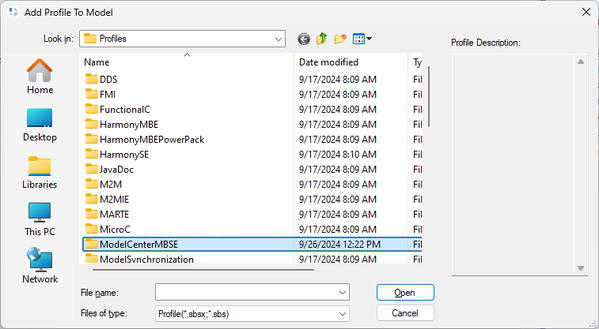
In the Add Profile to Model dialog, select "ModelCenterMBSE" and click the Open button.
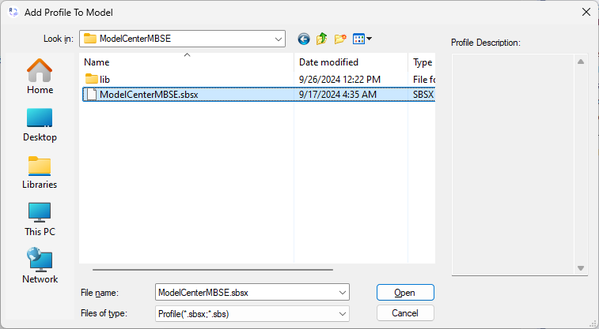
In the ModelCenterMBSE folder, select the ModelCenterMBSE.sbsx file and click the Open button.
- If you want to import requirements from DOORS NG, also add the RhapsodyModelManager profile. Restart Rhapsody.