Mathcad (Legacy) Warning Dialog
When an existing workflow is loaded, this dialog displays if the workflow contains a Legacy Plug-In. This dialog also displays if a Legacy Plug-In is added to a workflow.

This warning message can be disabled by selecting the Do not remind me again check box before clicking the OK button.
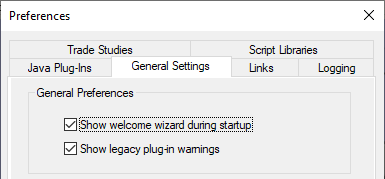
The warning dialog can be turned back on from the ModelCenter Tools > Preferences > General Settings tab by checking the Show legacy plug-in warnings check box. This setting can also turn the warnings off by clearing the check box.