


ModelCenter User Guide
ModelCenter is a powerful tool for automating and integrating design codes. Once a model is constructed, trade studies such as parametric studies, optimization studies, and design of experiments (DOE) studies may be performed. Study results can be archived into a project and later reviewed for further analysis.
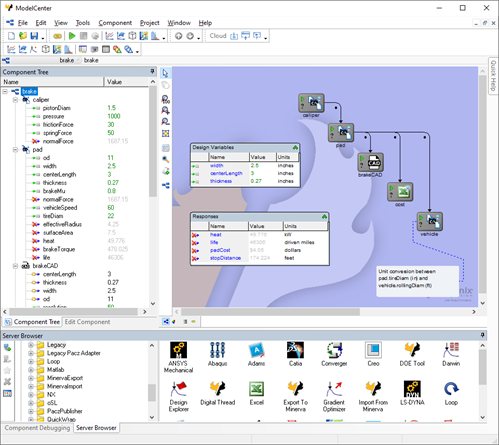
This help system is designed to provide quick access to the capabilities of ModelCenter. To learn more, select the desired topic:
- Glossary - A glossary of terms used in ModelCenter
- Supported Third Party Tools - This page lists the third party tools and versions supported by ModelCenter
- Overview - An overview of the capabilities of ModelCenter
- Getting Started - A quick-start guide to get up and running with ModelCenter in a minimal number of steps.
- Features - A in-depth description of all ModelCenter features, including the Component Tree, Server Browser, and Script Components