Applications of ModelCenter
ModelCenter can be applied to a variety of problems. The most common applications include:
- Automating codes - The most basic application of ModelCenter is to automate running analysis programs over and over again. A typical engineering process is to edit an input file, run a program, and then view the output file. This process is repeated in order to collect data, back solve for values, or manually optimize a system. ModelCenter provides a way to quickly and graphically perform this process.
- Building systems engineering models - In some cases, a workflow consists of a single Component. However, more benefit could be derived from linking Components representing multiple disciplines into a single workflow. An integrated Model can be used to understand system effects and to coordinate data flow between disciplines.
- Sharing information - ModelCenter is built around the concept of distributed components. Analysis programs wrapped on ModelCenter Remote Execution run on their native machines. ModelCenter acts as a browser for these wrapped programs. This allows domain experts to wrap and maintain their programs on their own machines, while other users can connect to these machines and access the Components the domain expert has created. The result is that more people can now access information that in the past was only accessible to one or two experts.
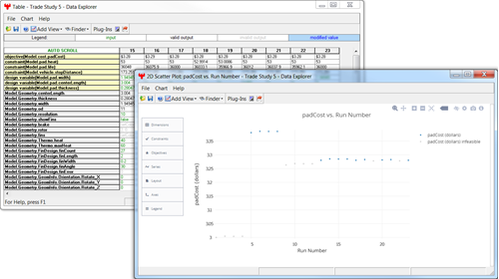
- Performing trade studies - ModelCenter provides tools for systematically
collecting data from Models.
- The Parametric Study Tool runs the workflow through a sweep of values to give the user a better understanding of a variable in a Model.
- The DOE Tool runs a workflow through a set of statistically predetermined values to help the user find critical variables in a Model.
- The Optimization Tool algorithmically tests combinations of values in the workflow to achieve some objective.
- The Carpet Plot Tool is used to view constraint lines within a design space.