Java Prerequisite
For ModelCenter software versions 13.2 and newer, users are required to download and install Java separately in order to proceed. 64-bit Java 8 LTS and 11 LTS versions are supported, which can be acquired from the Oracle website.
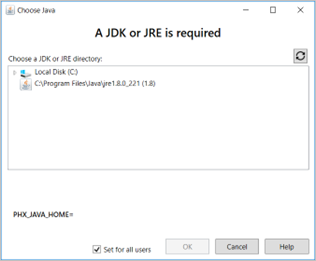
The ModelCenter software installers will ask for either a JDK or a JRE directory. If one has been previously installed, it will automatically show up in the Choose Java directory list. If no JDK or JRE has been previously installed, it can be done mid-install. To refresh the list, simply click the refresh button represented by the circular arrows.