


Geometry Components
A Geometry Component is any component that has geometry associated with it. ModelCenter supports several types of geometric primitives. In each case, the primitive is defined using a geometry file variable.
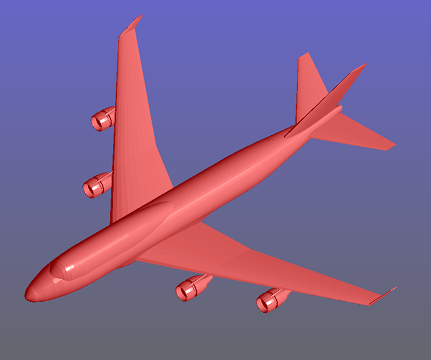
ModelCenter is not a CAD system in the traditional sense of CAD. You cannot create a CAD model directly in ModelCenter. Instead, you may build libraries of reusable Geometry Components. These components can be linked to Analysis Components to provide a "pre" CAD view of the system. After initial sizing is performed in ModelCenter, the geometry can be exported to a traditional CAD system to perform detailed design.
The intent of the geometry viewer in ModelCenter is to provide visual feedback for the analysis process. Users can instantiate one or more Geometry Components and then link them to variables in their Analysis Components. The result is that users can visualize changes to their system as they are made. This can often eliminate costly design errors that are not apparent simply by looking at a bunch of numbers.
Geometry is added to a workflow using Geometry Components. A Geometry Component is any component that contains either (1) a geometry variable or (2) a Geometry File variable as an output. There are several ways to create Geometry Components. A workflow with geometry is sometimes composed of multiple Geometry components. These components are oriented so they will together form a complete workflow. Inputs to each Geometry Component allow the workflow to be parametrically sized. Linking these input variables to variables output by the Analysis Components allows the geometry to be automatically updated by ModelCenter as the workflow is being analyzed and modified.
In addition to Geometry File variables, ModelCenter supports several types of geometry variables: