


Example: Setting the quality rating
In this example, the Test Numerical Quality system threshold is set to the database default value, which is 4 in the MI Training database. When quality ratings are visible, ratings of 4 or less are shown in red.
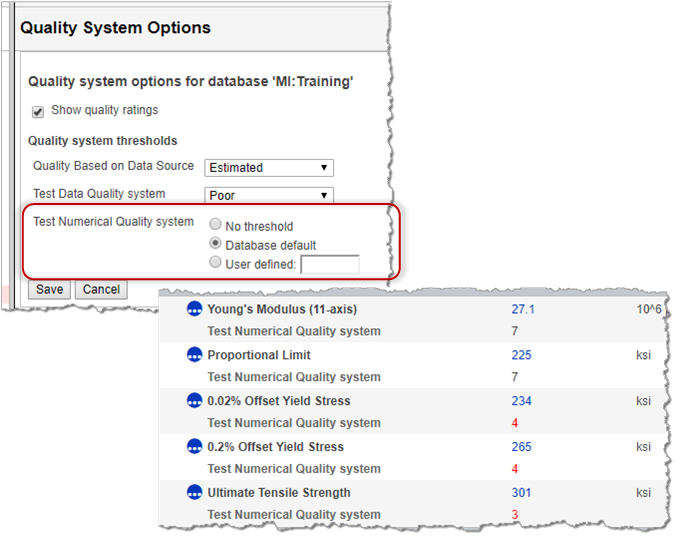
The threshold value for the quality ratings systems can be changed when the Show
quality ratings option is selected.
- For all quality ratings systems, you can set the threshold value to No threshold or Database default.
- For a discrete quality rating system, you can select the threshold rating value.
- For continuous quality rating system, you can enter a User defined threshold value. A user-defined value overrides the database default, if a default exists.