


Managing templates for data import
Database-specific templates ensure that data is entered from different sources in a consistent manner.
- Open MI Import.
- Click Manage Templates to open a page where you can upload templates for importing data into Granta MI.
-
To upload a template:
-
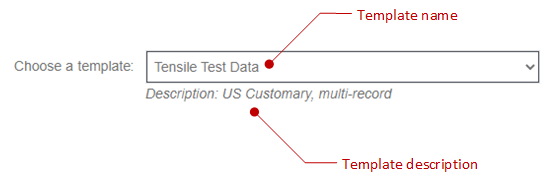
Enter a description. This appears below the template name once the template
has been selected in the job definition panel.
For example:
-
Enter a description. This appears below the template name once the template
has been selected in the job definition panel.
- To modify template details (the Name, or Description), or to choose a different template file, select the template from the list on the left and make the changes on the right.
- To change the content of a template, you need to download the template file and edit it, then upload the modified file.
- To delete a template, select the template from the list on the left and click Delete.