Exercise 1: Opening a database

Explore the databases in Granta EduPack and browse the tables and subsets within them.

On starting Granta EduPack, the Databases window will appear, showing all installed databases. The following exercises use the MaterialUniverse and ProcessUniverse tables, which are found within all Granta material databases. After clicking on a database name in the Databases window to select it, the Homepage then opens to show a list of the available tables and a graphic for each subset.
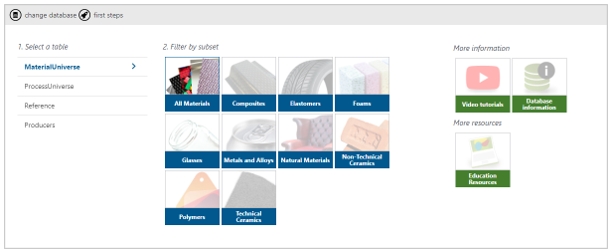
From the homepage you can view more information on the database, select a subset, and access online resources for students and educators.

  1. Select the Level 2 database

    If a feature used in an exercise is not enabled in the Level 2 database, you are asked to change to one that does as part of the exercise. Results and images may differ if you complete an exercise using a different database.

  2. Read about the available data and applications
    1. Click Database information to view a detailed description of the database.
    2. Click the Back arrow to return to the homepage.
  3. Select a material subset
    1. Click one of the subset icons, and notice that the Browse panel appears.
  4. Change to the ProcessUniverse table
    1. Click ProcessUniverse and notice that the Browse tree in the left panel updates.
  5. Close the Homepage tab
    1. Click the cross at the top of the Homepage tab. This page can be reopened at any time by clicking Home on the main toolbar.
  6. Change to the MaterialUniverse table
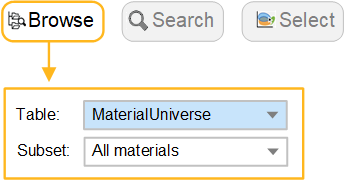
    1. With the Homepage closed, navigate to different tables using the Table list in the Browse panel.