


Exercise 10: Combining filtering and charting tools
You can identify materials which meet mutlitple selection criteria by combining selection stages.
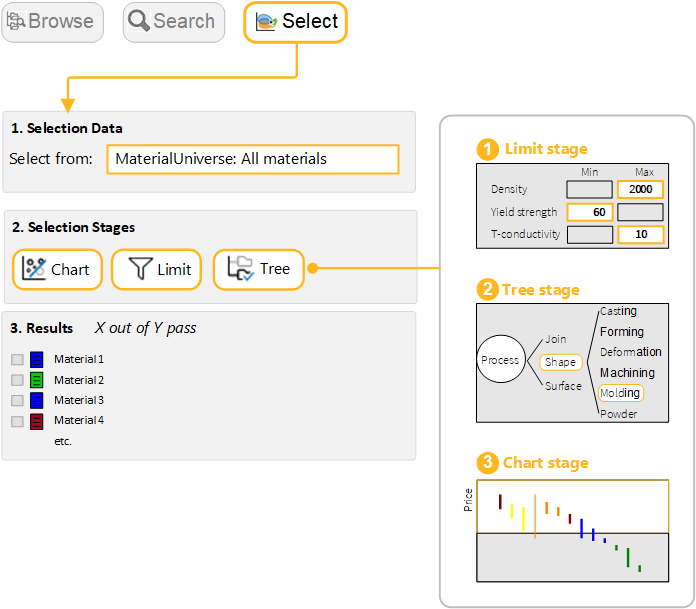
- Choose the data table
- Select from: MaterialUniverse: All materials.
- Select materials with specific physical, mechanical, and thermal properties.
-
Filter the results to find those that can be Thermoformed
- Create a Tree Stage and Insert ProcessUniverse > Shaping > Molding > Thermoplastic molding > Thermoforming.
-
Rank the results by Price and find the three cheapest materials
- Create a Chart Stage with a bar chart of Price on the Y-Axis. On the chart, all materials that fail one or more stages are grayed out. The Results panel lists the materials that pass all stages by default.
- In the Rank by menu, select Stage 3: Price.