


Exercise 17: Adding comments and saving a project
You can add Notes to a selection project as a reminder of why you have applied certain constraints and objectives.
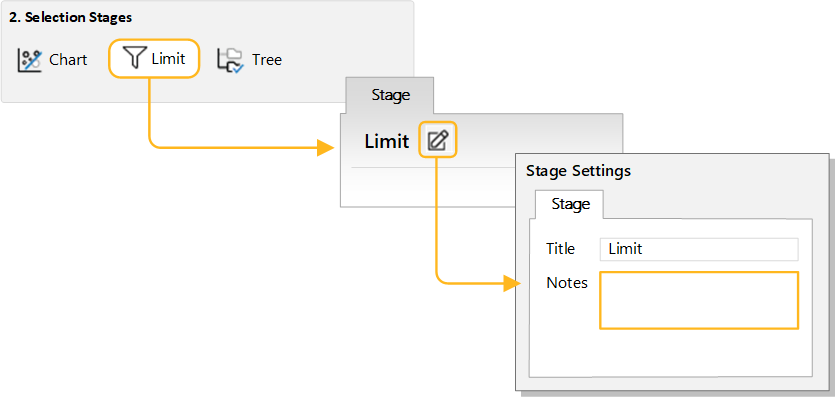
Notes can be added to each selection stage, or to the overall project (in Project Settings), and are displayed on mouse-over in the stage tab, and are saved in the project
-
Click
 Notes in the stage window heading to open
the Stage Settings dialog, then enter some comments in
the Notes box.
Notes in the stage window heading to open
the Stage Settings dialog, then enter some comments in
the Notes box.