Using Part Cost Estimator
Instructions for using the Synthesizer tool's Part Cost Estimator.
-
Click Synthesizer on the main toolbar and under
 Cost, click Part Cost
Estimator.
Cost, click Part Cost
Estimator.
Component details
- Click Browse, and navigate the MaterialUniverse tree to select a material to use to manufacture the component.
-
Type in values for the following component details:
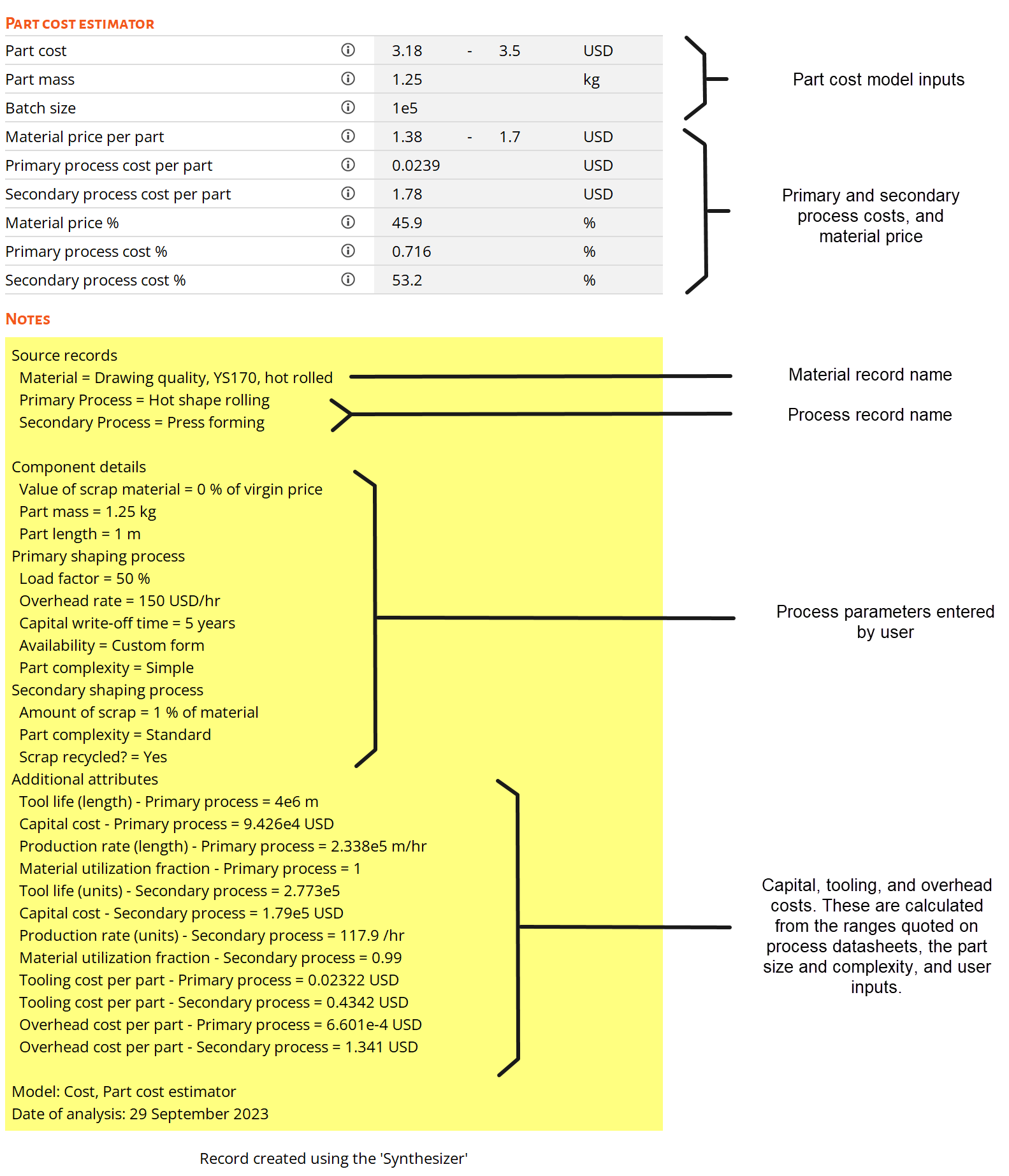
- Value of scrap material: value of selling waste material back to the supplier, expressed as a percentage of initial material cost. This value is used to calculate the credit from recycling (Crp) if the scrap material is recycled.
- Part mass: mass of the final component.
- Part length: maximum length of part. For continuous shaping processes (e.g. extrusion), this is the length of sheet or profile used.
- Batch size: component production size. This can either be a single integer, a semi-colon separated list (e.g. 1000;5000;10000), or a range (e.g. 100-10000) with the number of records to generate within that range specified in the Number of values box.
Primary shaping process
-
Click Browse, and select a suitable primary shaping
process record from the ProcessUniverse tree. Only processes with data to
support the Part Cost Estimator are shown. You must decide which shaping
processes are applicable for the material choice.
Note that you can add new processing records by adding a user-defined record to the ProcessUniverse data table.
-
Enter values for the following process details:
- Availability: if using semi-finished feedstock (e.g. plate) select 'Off-the-shelf form'
- Part complexity: high level indication on how
complex a component shape is:
- Simple: Basic shape with a few features that are easy to process.
- Standard: Part with some features, such as undercuts, bosses, and blind holes.
- Complex: Part with many features that require complex tooling and specialist processing.
- Load factor: fraction of time in a day for which the manufacturing equipment is running.
- Overhead rate: cost of running the facility in a given country, based on local labor rates and energy costs .
- Capital write-off time: Length of time until cost of non-dedicated capital equipment is written off.
Secondary shaping process
-
Select the Include secondary process check box to add a
machining process or another shaping process to the production line. Click
Browse, and select a suitable secondary process record
from the ProcessUniverse tree, and enter values for the following process
details:
- Part complexity: high level indication on how complex a component shape is (same criteria as primary shaping process above).
- Amount of scrap: percentage of material removed or wasted in the secondary process.
- Scrap recycled: determines if scrap material from secondary process will be sold back to the material supplier at the value specified above. If yes, then the value of the scrap material will be offset against the part cost.
- The secondary shaping process assumes the same load factor and overhead rate as the primary shaping process.
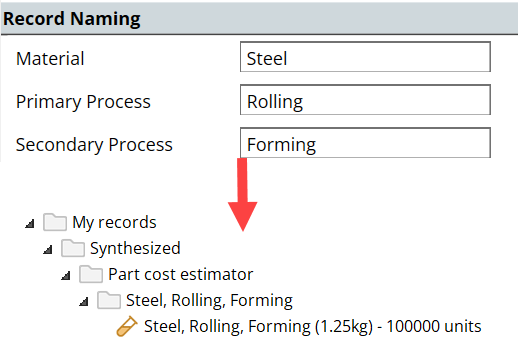
Record naming
-
Enter abbreviated names for the selected material and processes. These will be
used in the synthesized record name.