


Exercise 4: Selection using a Tree Stage
Using a Tree selection stage, you can filter records based on their links to records in other data tables, or based on the database hierarchy (tree).
-
Find materials that can be molded.
Under Selection Stage, click
 Tree. In the Tree Stage window, select
ProcessUniverse and navigate to Molding. Select
Molding, click Insert, then click
OK.
Tree. In the Tree Stage window, select
ProcessUniverse and navigate to Molding. Select
Molding, click Insert, then click
OK.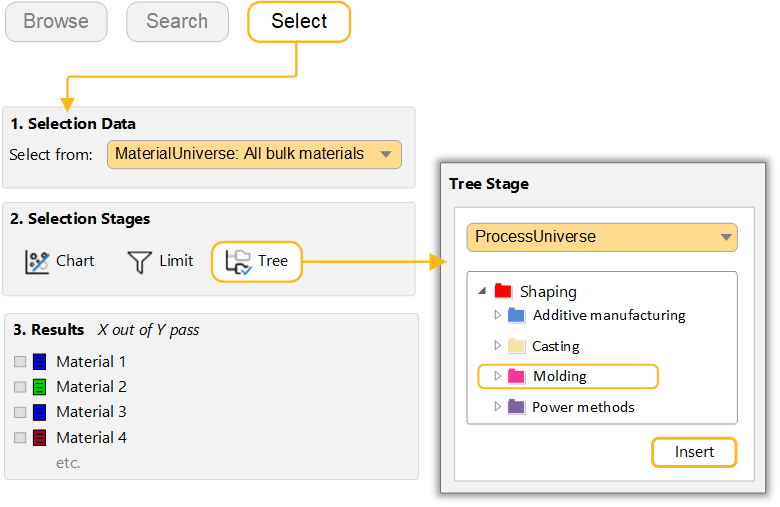
Click Show to see materials in MaterialUniverse to which this process is linked.
-
Find processes to join Steels.
In the Selection Project pane, under Selection Data, select ProcessUniverse: Joining processes.
Under Selection Stages, click
Tree. Select MaterialUniverse,
expand Metals and alloys, select
Ferrous, and then click Insert
followed by OK. Process shown in the Results panel include: Brazing, Flash welding, Oxyacetylene.