Exercise 3: Performance Index Finder
The Performance Index Finder lets you plot a performance index on a chart as a combined property.
One of the main components of systematic material selection is the use of performance indices. These are combined properties that allow the function of a design to be optimized for a particular application. The Performance Index Finder enables users to quickly identify (and plot) the performance indices that are applicable to their design.
-
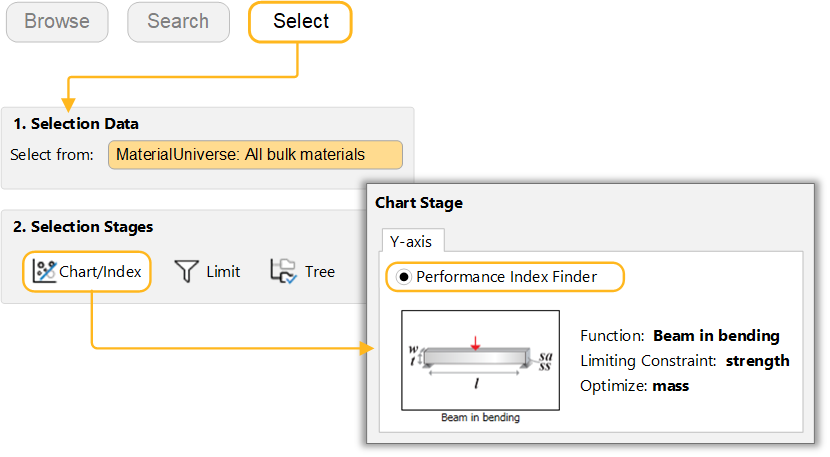
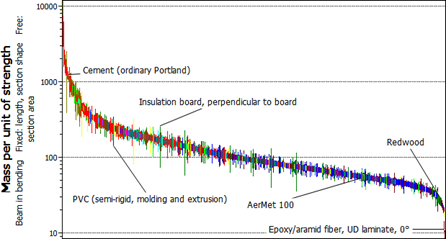
Make a bar chart of the performance index for minimizing the mass of a
strength-limited beam, loaded in bending
In the Chart Stage dialog, at the top of the Y-Axis tab, select Performance Index Finder. Select the Beam in bending function, and set section area as a Free Variable, strength as the Limiting Constraint, and optimize for mass.