Exercise 2: Setting Parameters for Functional Data
You can change the parameter values that a functional data property is evaluated at.
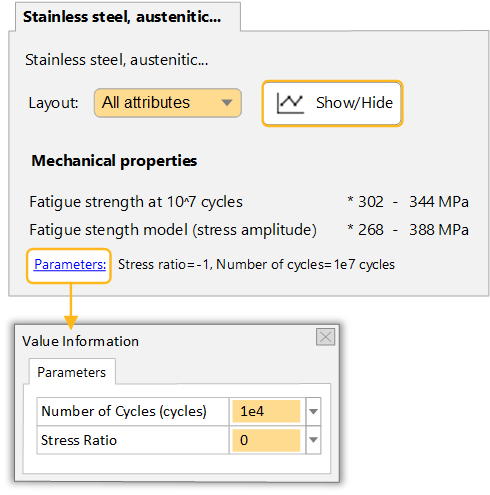
The parameter values for functional data apply to all applicable functional data types within the datasheet, and to all datasheets in the selection project. You can change the parameter values using the Parameters hyperlink.
Any functional data you export is also affected by these parameter values.
Note: The value of the Fatigue strength model is calculated
at the given values for Stress ratio and Number of cycles.
-
Change the parameter value for Number of cycles
Click the Parameters link and set a new value in the dialog, then click OK. The value in the datasheet will be updated.