


Exercise 2: Exporting Reports
Reports can be exported as a PDF or Microsoft® Word document, or a Microsoft Excel spreadsheet.
-
Export the report as a PDF
Click
 Export and select PDF.
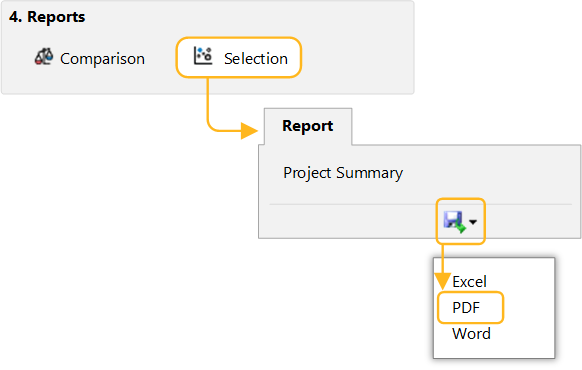 Note: You will require a PDF reader such as Adobe Reader® to view the exported selection report.