If you need to work offline, or otherwise reserve Granta Selector or a specific
Advanced Data bundle for a specific time period, you can borrow licenses in advance and for
a set time period using the Ansys Licensing Client Settings Utility.
On starting, Granta Selector will behave as if the borrowed licenses have been provided by a license server. For example, you may be shown a list of borrowed Advanced Data bundles in place of available licenses on the
server.
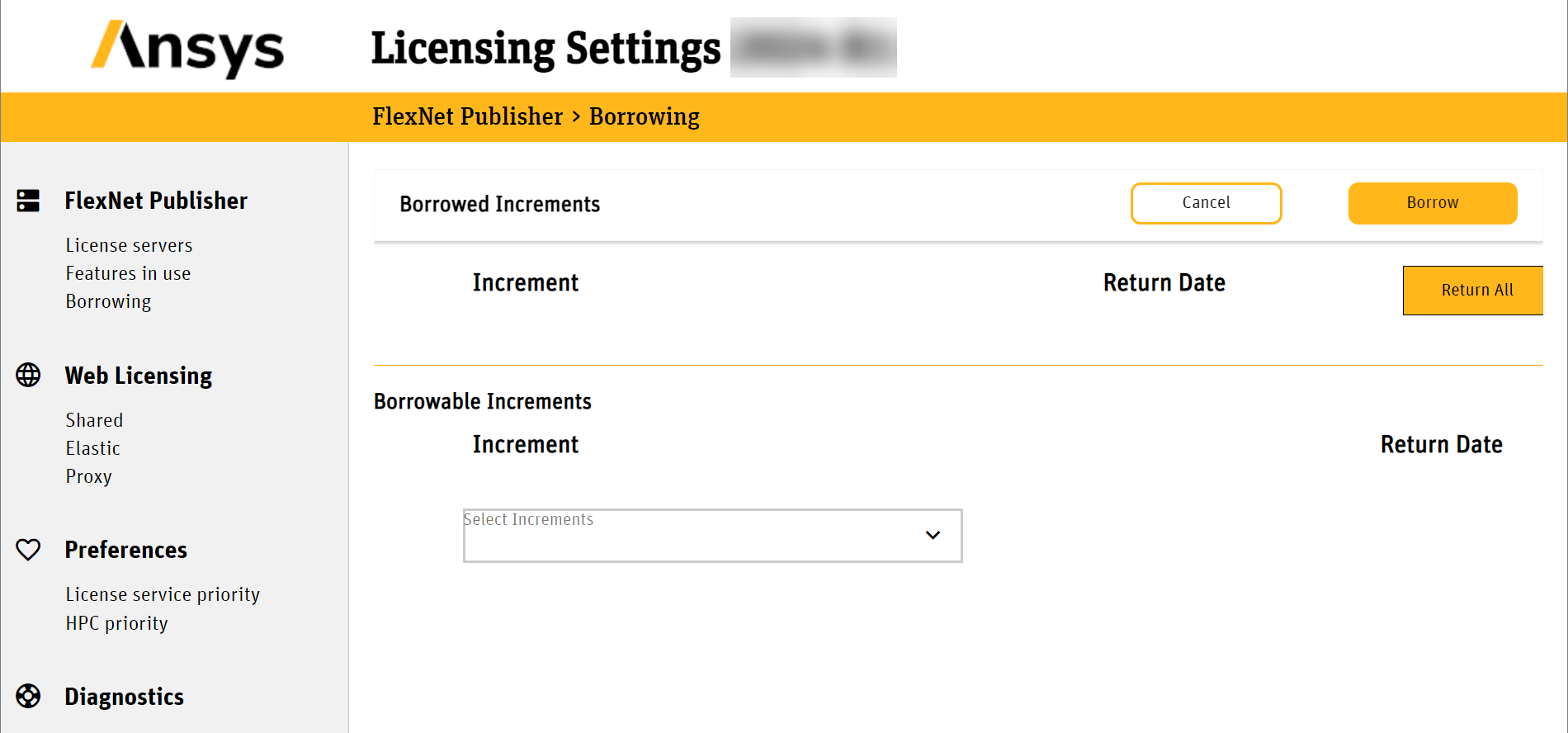
To borrow data licenses:
-
Go to C:\Program Files\Ansys Inc\v252\licensingclient\winx64\LicensingSettingsUtility
and run LicensingSettingsUtilityWindows.exe.
-
Click Borrowing.
-
Select granta_selector from the list of Increments and
click Borrow.
This is the Basic Materials data license, and you must borrow at least this
license to run Granta Selector offline.
- Optional:
Select any additional data bundles you want to borrow.
The Client Settings Utility displays license keys, not bundle names:
| License Key |
Data Bundle |
| granta_selector |
Software & Basic
Materials |
| granta_spl_mat_bundle_1 |
Advanced Materials - Aerospace |
| granta_spl_mat_bundle_2 |
Advanced Materials - Metals |
| granta_spl_mat_bundle_3 |
Advanced Materials - Polymers |
| granta_spl_mat_bundle_4 |
Advanced Materials - Composites |
| granta_spl_mat_bundle_5 |
Advanced Materials - Additive |
| granta_spl_mat_bundle_6 |
Advanced Materials - ESDU |
| granta_spl_mat_bundle_7 |
Advanced Materials - Eco |
| granta_spl_mat_bundle_em |
Advanced Materials - Electromagnetics |
| granta_spl_mat_bundle_hta |
Advanced Materials - High Temperature
Alloys |
Note: Opening a project file which was created with data
bundles you do not currently have checked out will not be flagged by Granta
Selector. Parts of the newly-opened project which use data you have not
checked out may be missing entirely.


