


Setting the scope of the search to a specific table
Choose a Table from the Search in list to limit the scope of the search to records in that Table.
All of the Tables that you are authorized to access in the currently-selected Profile or database will be listed here.
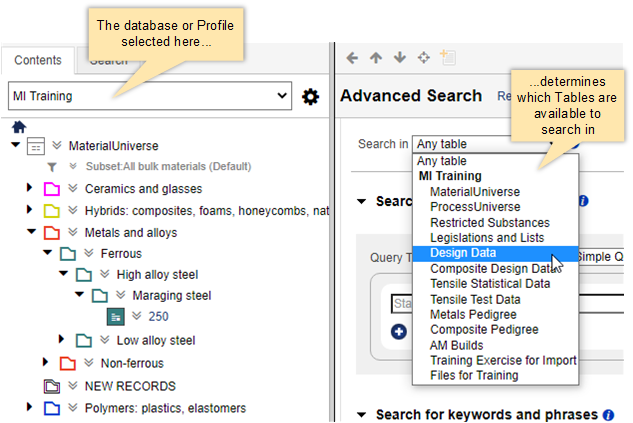
When you select a Table here:
- Only records in the specified Table will be searched.
- Only Attributes in the specified Table can be selected as search criteria.
Select Any table to set the search scope to all available Tables. Note that if you are using a predefined search, the Search in field will be locked and you won't be able to choose a different Table.